

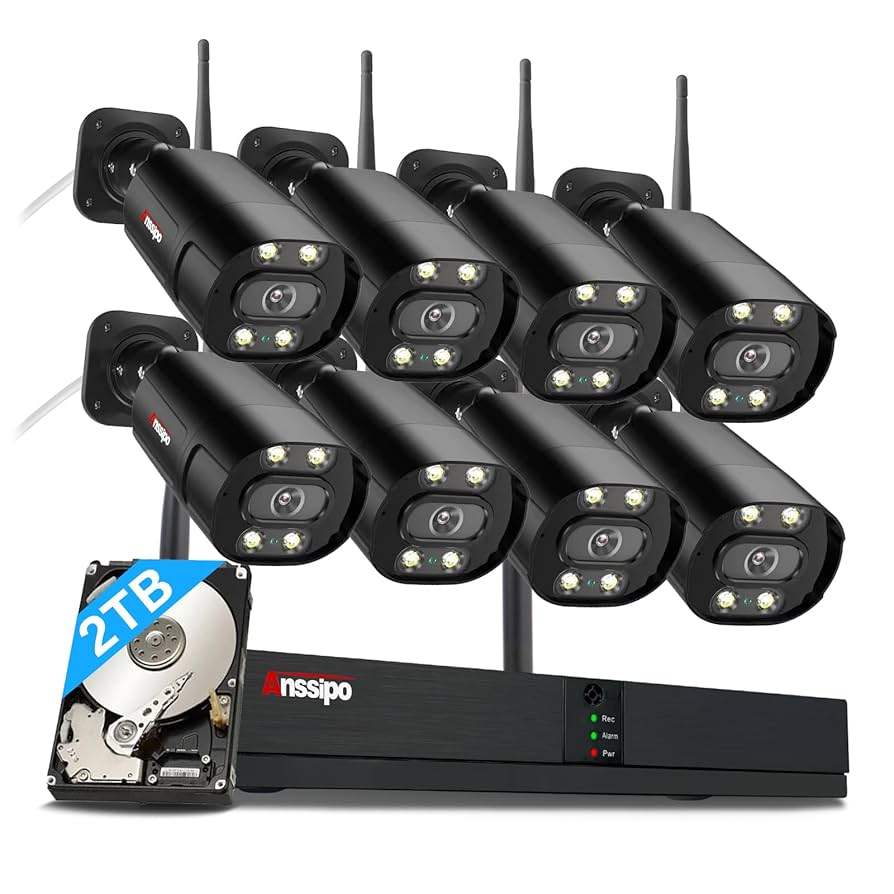
Are you looking to keep your home safe but feel overwhelmed by all the security camera options out there? Choosing the right home security camera system can feel confusing, but it doesn’t have to be.
Imagine having a system that not only protects your loved ones but also gives you peace of mind, whether you’re home or away. You’ll discover what makes a good home security camera system, what features really matter, and how to pick the best setup for your needs.
Keep reading to find out how you can turn your home into a safer place—without the hassle or guesswork.

Credit: www.amazon.com
Key Features Of Home Security Cameras
Choosing the right home security camera means focusing on key features. These features ensure clear footage, easy use, and reliable alerts. Understanding them helps pick a system that fits your needs and keeps your home safe.
Video Quality And Resolution
High video quality shows clear images and details. Look for cameras with at least 1080p resolution. Higher resolution helps identify faces and objects easily. Sharp video is crucial for effective monitoring and evidence.
Night Vision Capabilities
Cameras with night vision capture images in low light or darkness. Infrared LEDs allow clear viewing at night. This feature keeps your home protected around the clock. Bright and clear night footage is a must-have.
Motion Detection And Alerts
Motion detection triggers alerts when movement occurs. This feature helps catch unusual activity quickly. Alerts arrive on your phone or device instantly. Fine-tune sensitivity to avoid false alarms and stay informed.
Two-way Audio
Two-way audio lets you hear and speak through the camera. It allows communication with visitors or delivery people. This feature adds convenience and enhances security. Use it to warn intruders or greet guests remotely.
Storage Options
Storage can be local or cloud-based. Local storage uses memory cards, while cloud storage saves footage online. Cloud options offer easy access and backup. Choose storage type based on privacy, cost, and ease of use.
Weather Resistance
Outdoor cameras need weather resistance for durability. Look for IP ratings like IP65 or higher. This ensures protection against rain, dust, and temperature changes. A weatherproof camera lasts longer and works reliably outside.

Credit: www.amazon.com
Types Of Home Security Cameras
Choosing the right home security camera system starts with understanding the types of cameras available. Each type serves a unique purpose and fits different needs around your home. Knowing their differences helps you decide what combination works best for your security setup.
Wired Vs Wireless Cameras
Wired cameras offer a stable connection and usually provide higher video quality. However, they require professional installation and can be less flexible in positioning. Wireless cameras give you more freedom to place them anywhere and are easier to install, but they rely on Wi-Fi strength and batteries.
Think about your home’s layout and whether you want hassle-free placement or consistent power and video quality. Which is more important for your daily use?
Indoor Cameras
Indoor cameras are designed to monitor activity inside your home. They often have two-way audio, letting you talk to family members or pets remotely. These cameras focus on clear, close-up views rather than long-range coverage.
Would you prefer a camera that blends with your décor or one that’s highly visible to deter intruders inside?
Outdoor Cameras
Outdoor cameras are built to withstand weather conditions and provide wide-angle views of your property’s exterior. Many models come with night vision and motion detection to alert you to any unusual activity. Proper placement is key to cover entry points effectively.
Have you identified the blind spots around your home that need outdoor monitoring?
Doorbell Cameras
Doorbell cameras let you see and speak to visitors without opening the door. They add an extra layer of security by recording who comes to your doorstep. Some models integrate with smart home systems for seamless control.
How often do you miss visitors or deliveries when you’re not home?
Pan-tilt-zoom Cameras
PTZ cameras allow you to remotely control the camera’s direction and zoom level. This flexibility helps you track movement and cover larger areas with a single device. They are ideal if you want to actively monitor your property.
Do you need a camera that can follow action or focus on specific spots quickly?
Top Home Security Camera Systems
Choosing the right home security camera system is vital for safety. The market offers a variety of options to suit different needs. From budget-friendly choices to high-tech systems, there's something for everyone. Below, we explore the top home security camera systems available today.
Best Overall System
The best overall system combines quality and reliability. It offers excellent video quality and advanced features. Its user-friendly interface makes it accessible for all. This system provides a balance between security and ease of use.
Best Budget-friendly Option
Not everyone wants to spend a lot on home security. Budget-friendly options offer essential features without breaking the bank. They provide good video quality and basic alerts. Perfect for those who need security on a budget.
Best For Smart Home Integration
Smart home enthusiasts need systems that integrate well. These systems work seamlessly with other smart devices. They support voice commands and automation features. A smart choice for tech-savvy homeowners.
Best For Easy Installation
Some prefer systems that are easy to install. These systems require minimal tools and expertise. They often come with clear instructions. Ideal for those who want a quick setup.
Best For High-resolution Video
High-resolution video captures clear and detailed footage. These systems offer superior image quality. They are perfect for identifying faces and details. A must-have for high-security areas.
Installation Tips For Security Cameras
Installing a home security camera system needs careful planning. Proper setup improves camera performance and keeps your home safe. Simple tips can help you place cameras, manage power, and secure your network. Follow these guidelines for the best results.
Optimal Camera Placement
Place cameras where they capture wide views of entry points. Focus on doors, windows, and driveways. Mount cameras high to avoid tampering. Avoid placing cameras near bright lights or direct sunlight. Check for obstacles that might block the view. Test angles to cover blind spots. Use multiple cameras for full coverage if needed.
Power Supply Considerations
Choose power sources that fit your setup. Wired cameras need nearby outlets or power adapters. Wireless cameras rely on batteries; check battery life regularly. Consider solar panels for outdoor cameras. Keep cables neat and protected from weather. Use surge protectors to avoid damage from power spikes.
Network Setup And Connectivity
Connect cameras to a strong and stable Wi-Fi network. Place routers close to cameras or use Wi-Fi extenders. Use the correct frequency band for better speed and range. Secure your network with a strong password. Regularly update camera and router firmware. Test camera feeds on your phone or computer.
Ensuring Privacy And Security
Protect your cameras from hacking with strong, unique passwords. Disable unused features and remote access if not needed. Encrypt camera data when possible. Limit who can view your camera feed. Inform family members about camera locations and privacy. Regularly check camera logs and settings for unusual activity.
Maintenance And Troubleshooting
Maintaining your home security camera system ensures it works reliably when you need it most. Ignoring upkeep can lead to missed footage or blind spots. Troubleshooting helps you fix issues quickly, so your home stays protected without gaps in coverage.
Regular Firmware Updates
Firmware updates improve your camera’s performance and fix security vulnerabilities. Manufacturers often release updates that enhance features or patch bugs. Check your camera app or website regularly to download and install the latest firmware.
Skipping updates can leave your system exposed to hackers or cause it to malfunction. Have you noticed your camera acting slow or disconnecting? An update might solve these problems instantly.
Cleaning Camera Lenses
Dirty lenses blur footage and reduce image quality. Dust, spider webs, or rain spots can build up over time, especially on outdoor cameras. Use a soft, lint-free cloth to gently clean the lens every few weeks or after bad weather.
Try not to use harsh chemicals that could damage the lens coating. If your footage looks foggy or unclear, cleaning the lens is one of the simplest fixes you can try yourself.
Troubleshooting Common Issues
If your camera loses connection or stops recording, start by rebooting the device. Check your Wi-Fi strength because weak signals cause interruptions. Also, ensure the power source is stable and cables are intact.
Sometimes, deleting and reinstalling the camera app can resolve software glitches. What’s your go-to fix when a device stops working? Having a checklist can save you time and frustration.
Replacing Or Upgrading Equipment
Over time, your camera system might need replacements or upgrades to keep up with your security needs. Older models may lack newer features like night vision or cloud storage. Evaluate whether adding extra cameras or swapping out outdated units makes sense.
Before buying new equipment, consider compatibility with your existing system. Have you noticed blind spots or poor image quality? That’s a strong sign it’s time for an upgrade.

Credit: www.amazon.com
Frequently Asked Questions
What Features Make A Good Home Security Camera System?
A good system offers high-resolution video, night vision, motion detection, two-way audio, and cloud storage. It should be easy to install and integrate with smart home devices for convenience and enhanced security.
How Do I Choose The Best Home Security Camera System?
Consider camera quality, coverage area, installation type, storage options, and smart features. Also, check customer reviews, warranty, and customer support to ensure reliability and value for your investment.
Are Wireless Home Security Cameras Reliable And Secure?
Yes, wireless cameras are reliable with strong Wi-Fi and encryption. Ensure your network is secure and use cameras with updated firmware to protect against hacking and maintain privacy.
What Is The Average Cost Of A Home Security Camera System?
Costs vary from $100 to $500 depending on features, number of cameras, and brand. Basic models are affordable, while advanced systems with cloud storage and smart integrations cost more.
Conclusion
A good home security camera system keeps your home safe and secure. It helps you watch your property anytime, from anywhere. Choose cameras with clear video and easy setup. Look for features like night vision and motion alerts. Protect your family and belongings with reliable security.
A smart choice gives peace of mind every day. Simple steps can make a big difference. Stay aware, stay safe, and feel confident at home.

