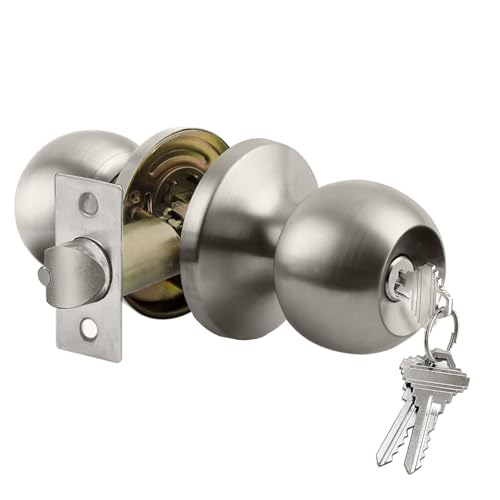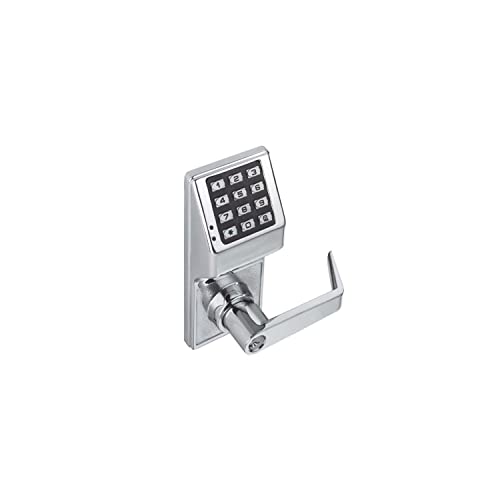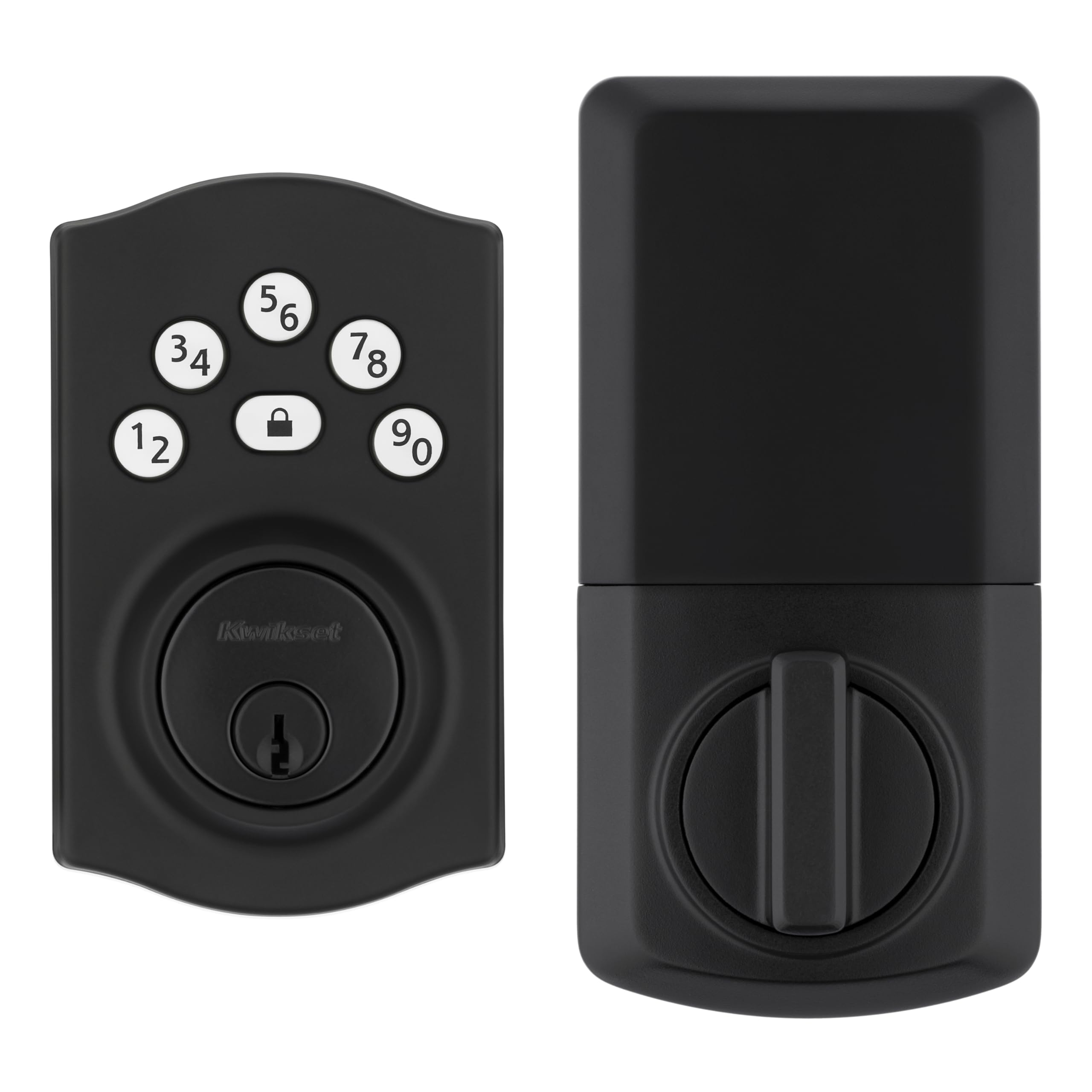
Imagine never fumbling for your keys again or worrying about losing them. With Kwikset Keyless Entry, you can unlock your door with just a simple code or even your smartphone.
This means more security, more convenience, and less stress for you. If you want to make your home smarter and safer without the hassle of traditional keys, keep reading. You’re about to discover how Kwikset Keyless Entry can change the way you protect your home.

Credit: www.amazon.com
Kwikset Keyless Entry Features
Kwikset keyless entry systems make doors easier to use without keys. They offer many useful features for homes and offices.
These locks improve access control and add convenience to daily routines. They come in different styles and technologies.
Types Of Keyless Locks
Kwikset offers several types of keyless locks. Each type fits different needs and door types.
- Touchscreen Deadbolts: Use a keypad to enter codes.
- Smart Locks: Connect to phones and other devices.
- Traditional Keypad Locks: Simple button codes for access.
- Lever Locks: Combine keypad with lever handles.
Smart Lock Technology
Smart locks use wireless technology to connect with phones and apps. This lets users control locks remotely.
Features include automatic locking, temporary codes, and activity logs. These help manage who enters the property.
- Bluetooth and Wi-Fi connectivity
- Mobile app control
- Voice assistant compatibility
- Temporary and permanent access codes
Security Enhancements
Kwikset keyless locks add extra security features to protect homes. They use strong materials and smart technology.
These locks include features to prevent tampering and unauthorized entry. Some models alert users about lock activity.
- Built-in alarm technology
- Anti-pick and anti-bump protection
- Auto-locking after use
- Activity monitoring and alerts
Installation Process
Installing a Kwikset keyless entry lock is simple and quick. You can do it yourself with a few tools and clear steps.
This guide explains the tools you need, how to set up the lock, and tips for fixing common problems.
Tools Needed
Gather these tools before starting your installation. Having them ready saves time and avoids frustration.
- Phillips screwdriver
- Flathead screwdriver
- Measuring tape
- Drill (optional, for new holes)
- Pencil for marking
- Batteries (usually AA or AAA)
Step-by-step Setup
Follow these steps to install your Kwikset keyless entry lock correctly. Take your time and read each step carefully.
- Remove the old lock and clean the door surface.
- Check the door thickness and backset size.
- Install the deadbolt and latch into the door.
- Attach the exterior keypad and interior assembly.
- Secure all screws tightly but do not overtighten.
- Insert batteries into the interior unit.
- Program your user codes following the instructions.
- Test the lock to ensure it works smoothly.
Troubleshooting Tips
If the lock does not work as expected, try these simple fixes. They solve common problems without needing help.
- Check battery installation and replace if low.
- Make sure the latch and deadbolt align with the strike plate.
- Reset the lock and reprogram user codes if needed.
- Clean the keypad to ensure buttons press well.
- Verify the door closes fully without resistance.
- Consult the manual for error codes shown on the keypad.
Mobile App Integration
Kwikset keyless entry locks work with a mobile app for easy control. The app lets you manage your lock from anywhere.
You do not need to use a physical key. The app offers many useful tools to keep your home safe and accessible.
App Features
The Kwikset app has many features to help you control your lock. It gives you quick access and real-time updates.
You can check lock status, set codes, and get alerts if someone uses the lock.
- Check if the door is locked or unlocked
- Create and delete access codes easily
- Receive notifications for lock activity
- Set automatic locking schedules
Remote Access
The app lets you lock or unlock your door from any location. This is useful if you forget to lock your door.
You can also let guests enter your home without giving them a physical key. Control access instantly through the app.
- Lock or unlock door remotely
- Grant access to visitors instantly
- Monitor door activity from anywhere
User Management
The app allows you to add or remove users who can access your lock. You control who has permission to enter.
You can assign unique codes to each user and track their entry times. This helps keep your home secure.
- Create unique codes for family and friends
- Delete codes when access is no longer needed
- View a history of who used the lock and when

Credit: www.amazon.com
Compatibility With Smart Home Systems
Kwikset keyless entry systems work well with many smart home devices. They add convenience and security to your home. You can connect them to popular voice assistants and automation setups easily.
Using a Kwikset lock with smart systems lets you control your door remotely. It also helps you keep track of who enters and leaves your home.
Works With Alexa And Google Assistant
Kwikset locks support both Amazon Alexa and Google Assistant. This lets you lock or unlock your door using voice commands. You just need to enable the right skill or action in the app.
- Ask Alexa to lock or check the door status
- Use Google Assistant to open or secure your door
- Get voice alerts about lock activity
Integration With Home Automation
Kwikset locks connect smoothly with many home automation hubs. They work with systems like SmartThings and Wink. This connection lets you add your lock to automated scenes.
| Automation System | Supported Features |
| SmartThings | Lock control, status updates |
| Wink | Remote locking, alerts |
| Apple HomeKit (via Bridge) | Voice commands, automation scenes |
Voice Control Options
You can use voice commands to manage your Kwikset lock. Both Alexa and Google Assistant offer simple ways to control your door hands-free. This is helpful when your hands are full or you are away from home.
Common voice commands include:
- "Alexa, lock the front door."
- "Hey Google, is the back door locked?"
- "Alexa, unlock the door for guests."
Benefits Over Traditional Locks
Kwikset keyless entry systems offer many benefits compared to traditional locks. They provide easier access and improved security for homes and businesses.
These locks use digital codes or smart technology instead of physical keys. This change makes managing access simpler and safer.
Enhanced Security
Keyless entry locks reduce risks of lost or copied keys. Only authorized users can enter with a code or app.
Some models have features like auto-locking and tamper alerts. These help prevent break-ins and unauthorized access.
- No physical keys to lose or copy
- Unique codes for each user
- Automatic locking options
- Alerts for forced entry attempts
Convenience And Flexibility
Keyless locks allow easy access without carrying keys. You can enter using a code, smartphone, or key fob.
It is simple to add or remove users. Temporary codes can be created for guests or service workers.
- Access with codes or smart devices
- Easy to change or delete user access
- Temporary codes for visitors
- No need to hide spare keys
Access Logs And Alerts
Many keyless locks keep records of who enters and when. This feature helps monitor home or business activity.
Alerts notify you if someone tries to enter without permission. You can check access history remotely using an app.
- Track entry times and users
- Receive alerts for unusual activity
- Remote monitoring via smartphone apps
- Improve safety with real-time information

Credit: www.amazon.com
Common Issues And Solutions
The Kwikset Keyless Entry system offers convenience and security. Users may encounter some common issues. This guide will help you address these problems.
Learn about battery life concerns, connectivity problems, and lock malfunctions. Each section provides simple solutions to these challenges.
Battery Life Concerns
Batteries power the Kwikset Keyless Entry. They need regular checks to ensure functionality. Weak batteries may cause entry issues.
- Check battery level every three months.
- Replace with alkaline batteries for longer life.
- Avoid using rechargeable batteries; they deplete faster.
Connectivity Problems
Connectivity issues can disrupt the lock's operation. Ensure your device stays linked to the lock for seamless access.
Ensure the lock is within range of your home network or mobile device.
Lock Malfunctions
Lock malfunctions can prevent the door from securing properly. Identifying the cause helps in finding a quick solution.
| Issue | Solution |
| Lock does not engage | Check alignment of the door and strike plate |
| Keypad unresponsive | Replace batteries and reset the lock |
| Lock jams | Lubricate with graphite for smoother operation |
User Tips For Optimal Security
Kwikset keyless entry systems offer convenience and enhanced security. To ensure your lock provides the best protection, follow these simple tips.
These practices will help you maintain security and peace of mind in your home.
Strong Passcodes
Creating a strong passcode is essential for keeping your home safe. Avoid using easily guessed numbers.
- Avoid sequences like 1234 or 0000
- Use a mix of numbers that are not related to personal info
- Change passcodes regularly for added security
Regular Firmware Updates
Firmware updates help keep your lock secure. They fix bugs and add new features.
| Update Frequency | Check Monthly |
| Update Source | Official Kwikset Website |
| Notification Setting | Enable Alerts |
Guest Access Management
Managing guest access is easy with Kwikset. You can set temporary codes for visitors.
Use the app to monitor and change access settings remotely.
Cost And Warranty Details
Kwikset keyless entry locks offer a convenient way to secure your home. Understanding their cost and warranty helps you make a good choice.
This guide covers price ranges, warranty coverage, and value for money for Kwikset keyless locks.
Price Range
Kwikset keyless entry locks vary in price based on features and models. Basic models cost less, while advanced ones are pricier.
You can find Kwikset keyless locks from around $80 to $250. Prices depend on connectivity options and smart features.
- Basic keypad locks: $80 to $120
- Smart locks with app control: $150 to $250
- Models with extra security features: $200 and above
Warranty Coverage
Kwikset offers warranties to protect your lock against defects. Warranty length varies by product type.
Most Kwikset keyless locks come with a limited lifetime warranty on mechanical parts. Electronics usually have a shorter warranty.
- Lifetime warranty on mechanical components
- 1 to 3 years warranty on electronic parts
- Warranty covers manufacturing defects only
Value For Money
Kwikset keyless locks offer strong security and ease of use. They provide good value for the price paid.
Long warranty and durable build add to their value. Choose a model that fits your budget and needs.
Frequently Asked Questions
What Is Kwikset Keyless Entry?
Kwikset Keyless Entry is a smart lock system that allows key-free access. It uses codes, biometrics, or smartphones for secure entry. This system enhances home security and convenience, eliminating the need for traditional keys.
How Secure Is Kwikset Keyless Entry?
Kwikset Keyless Entry offers advanced encryption and tamper-proof technology. It features customizable access codes and auto-locking functions. These features provide strong protection against unauthorized access and enhance overall home security.
Can I Control Kwikset Keyless Entry Remotely?
Yes, many Kwikset Keyless Entry models support remote control via smartphone apps. You can lock or unlock your door from anywhere. This feature adds convenience and allows you to monitor access in real-time.
Does Kwikset Keyless Entry Require Professional Installation?
Most Kwikset Keyless Entry locks are designed for easy DIY installation. Clear instructions and compatible hardware simplify setup. However, professional help is available if you prefer expert installation for optimal performance.
Conclusion
Kwikset Keyless Entry offers easy and secure home access. No need for traditional keys or worrying about lost copies. You can change codes quickly whenever needed. It helps protect your home and gives peace of mind. Installation is simple and fits most doors.
This system suits busy households and anyone wanting convenience. A smart choice for safer, hassle-free door control.