Are you planning to mount your TV on the wall but feeling confused about which wall bracket to choose? You might have heard about universal TV wall brackets and wondered if one size really fits all.
Finding the right bracket can be tricky because your TV’s size, weight, and mounting holes all matter. What if you pick the wrong one? Your TV might not fit securely, or you could miss out on the perfect viewing angle.
Keep reading to discover the truth about universal TV wall brackets and learn how to pick the best option for your setup. This guide will save you time, money, and frustration.

Credit: www.mount-it.com
Types Of Tv Wall Brackets
TV wall brackets come in different types. Each type fits different needs and room layouts.
Choosing the right bracket helps you place the TV safely and at a good viewing angle.
Fixed Brackets
Fixed brackets hold the TV close to the wall. They do not allow any movement or tilt.
These brackets are simple and strong. They work well if you watch TV from one spot.
- Keep TV flat against the wall
- Best for small rooms or low ceilings
- Usually the least expensive option
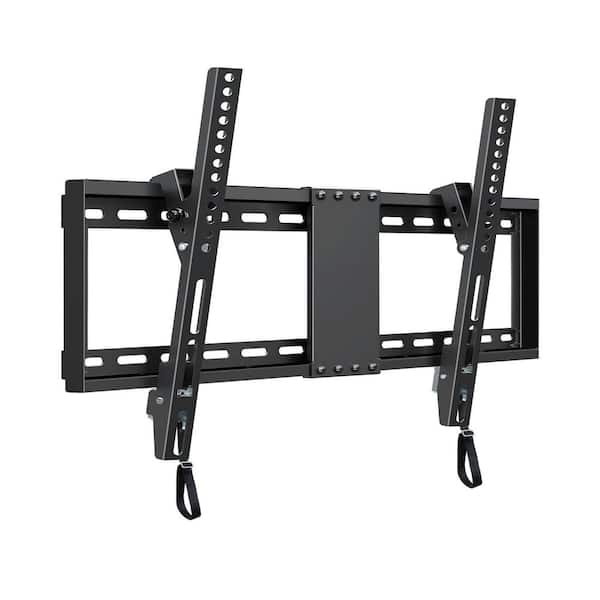
Tilting Brackets
Tilting brackets let you angle the TV up or down. This helps reduce glare and improve viewing.
They are good for mounting the TV higher on the wall. You can tilt the screen for comfort.
- Allow vertical angle adjustment
- Help reduce light reflections
- Still keep TV close to the wall
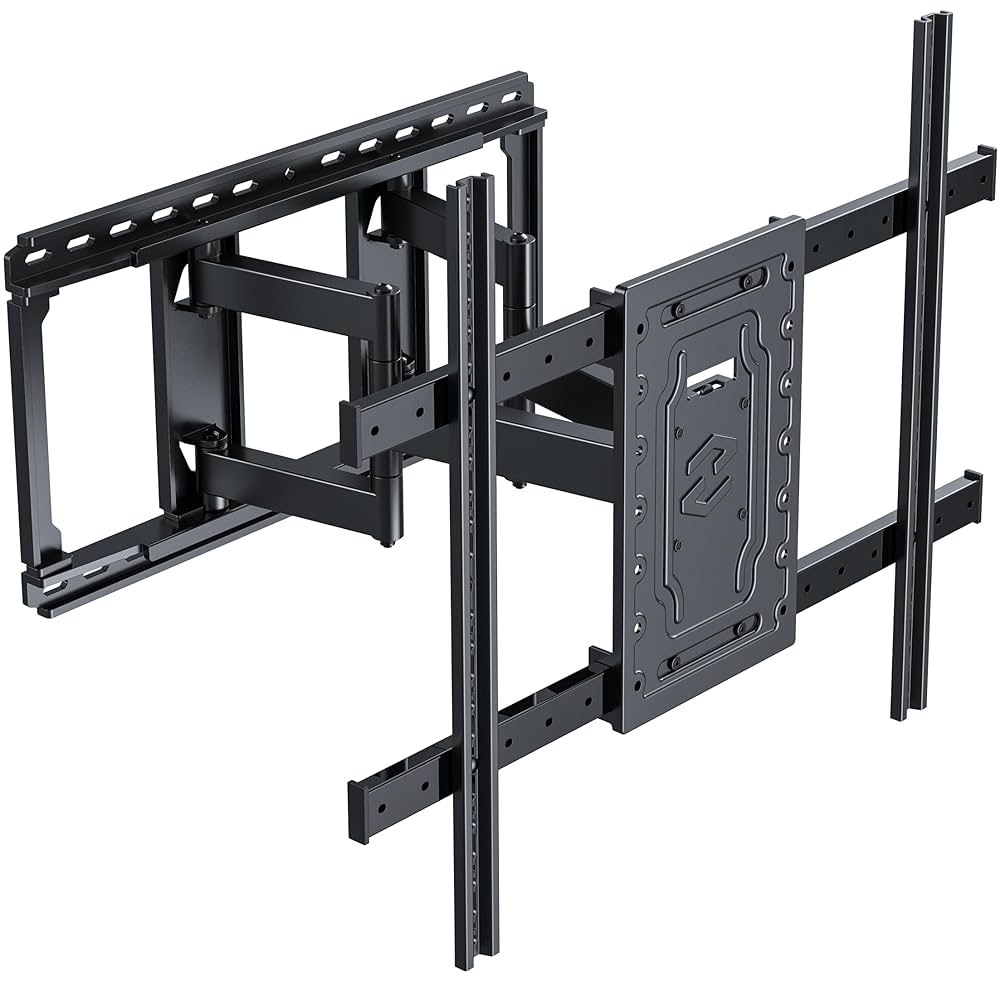
Full-motion Brackets
Full-motion brackets let you move the TV in many directions. You can pull it out, tilt, and swivel.
They offer the most flexibility. You can watch TV from different seats in the room.
- Swivel left or right
- Tilt up or down
- Extend away from the wall
Credit: www.homedepot.com
Key Compatibility Factors
TV wall brackets come in many shapes and sizes. Not all brackets fit every TV. Some factors decide if a bracket works with your TV.
Understanding these factors helps you pick the right wall bracket. It keeps your TV safe and secure on the wall.
Vesa Standards
VESA is a standard for TV mounting holes. It tells the distance between the holes on your TV's back. Brackets and TVs must match VESA sizes.
Common VESA sizes are 100x100 mm, 200x200 mm, and 400x400 mm. Check your TV's VESA size before buying a bracket.
- Measure the horizontal distance between mounting holes.
- Measure the vertical distance between mounting holes.
- Match these to the bracket's VESA pattern.
Tv Size And Weight Limits
Each wall bracket supports a range of TV sizes. It also has a weight limit. Using a bracket that fits your TV size and weight is important.
Check the bracket’s maximum size and weight. Make sure your TV is within these limits for safety and stability.
- Size limits are usually given in inches.
- Weight limits are given in pounds or kilograms.
- Exceeding limits can cause damage or accidents.
Mounting Hole Patterns
Mounting hole patterns are the shape and spacing of holes on your TV’s back. They must match the bracket’s holes for a secure fit.
Some TVs have square patterns, others rectangular. The bracket must support your TV's specific hole pattern.
| Pattern Shape | Description |
|---|---|
| Square | Equal horizontal and vertical hole spacing |
| Rectangular | Different spacing horizontally and vertically |
| Custom | Unique hole layout, check TV manual |
Measuring Your Tv For A Wall Bracket
To mount your TV on the wall safely, you must measure it correctly. The right measurements help you find a bracket that fits well.
Measuring your TV includes checking its mounting pattern, weight, and thickness. These details ensure the wall bracket can hold your TV securely.
Finding The Vesa Pattern
The VESA pattern is the distance between the mounting holes on the back of your TV. It is usually in millimeters and shown as width x height.
Look for four screw holes arranged in a square or rectangle on your TV's back. Measure the horizontal and vertical distances between these holes.
- Use a ruler or tape measure
- Measure from the center of one hole to the center of the opposite hole
- Common sizes include 200x200, 400x400, or 600x400 mm
Checking Tv Weight
Check how much your TV weighs before choosing a wall bracket. The bracket must support your TV’s weight safely.
You can find the weight in your TV manual or on the manufacturer’s website. Compare the weight to the bracket’s maximum load rating.
- Weigh your TV if you don’t find the info online
- Make sure the wall bracket supports a higher weight than your TV
- Consider extra weight if you add a soundbar or accessories
Assessing Tv Thickness
TV thickness affects the type of bracket you need. Some brackets work better with thin TVs, while others support thicker models.
Measure the depth of your TV from the front screen to the back. Check if the bracket’s arms or mount can hold your TV’s thickness.
- Use a tape measure to get the depth in centimeters or inches
- Note if your TV has a curved or flat back
- Choose a bracket with adjustable arms for uneven thickness
Universal Brackets: What To Expect
TV wall brackets hold your television on the wall. Universal brackets claim to fit many TV models. They can save time and effort when mounting a TV.
These brackets work with various TV sizes and brands. They have adjustable parts to match different mounting patterns.
Common Features
Universal TV wall brackets share some usual features. These help them fit many TVs without extra parts.
- Adjustable arms or plates to match different hole patterns
- Support for a wide range of TV sizes and weights
- Tilting and swiveling options for better viewing angles
- Strong metal construction for safety and durability
- Easy installation with included hardware and instructions
Limitations
Universal brackets do not fit all TVs perfectly. Some models may have unique designs or sizes.
They may not support very large or very heavy TVs. Extra adapters might be needed for some mounts.
- Not compatible with TVs outside the supported size range
- Weight limits may restrict use with heavier TVs
- Some unique mounting patterns may not fit
- Limited design options for special TV shapes
Popular Universal Models
Several universal wall brackets are popular due to their flexibility and ease of use. They fit many common TV brands and sizes.
| Model | TV Size Range | Weight Limit | Features |
|---|---|---|---|
| Model A | 32-70 inches | 70 lbs | Full motion, tilt, swivel |
| Model B | 40-85 inches | 90 lbs | Tilting, adjustable arms |
| Model C | 24-55 inches | 50 lbs | Fixed, slim profile |
| Model D | 37-75 inches | 80 lbs | Full motion, quick release |
Installation Tips For Wall Brackets
Installing TV wall brackets can be simple if you prepare well. It is important to know what your wall is made of and use the right tools. Safety should always be your top priority during installation.
This guide covers key points to help you install your TV wall bracket securely and easily.
Wall Material Considerations
Different walls need different anchors and screws. Knowing your wall type helps pick the right hardware for a safe fit.
- Drywall requires special anchors to hold the weight.
- Concrete or brick walls need heavy-duty masonry screws.
- Wood studs offer strong support with standard screws.
- Metal studs require toggle bolts or anchors made for metal.
Using Proper Tools
Having the correct tools makes installation faster and more accurate. Use tools that match your wall and bracket type.
| Tool | Use |
| Drill | Create holes for screws and anchors |
| Stud Finder | Locate studs behind drywall |
| Level | Ensure bracket is straight |
| Screwdriver | Tighten screws securely |
| Measuring Tape | Mark correct heights and positions |
Safety Precautions
Safety is key when mounting heavy objects on walls. Follow these tips to avoid accidents and damage.
- Wear safety goggles to protect your eyes from dust.
- Use gloves to protect your hands from sharp edges.
- Double check the bracket and screws can hold your TV's weight.
- Have someone help you lift the TV onto the bracket.
- Turn off power tools when not in use to prevent injury.
Troubleshooting Compatibility Issues
Not all TV wall brackets fit every television. Compatibility problems often arise. Knowing the common issues helps fix them quickly.
This guide addresses size, weight, and hole alignment issues. Read on to learn more.
Bracket Too Small Or Large
Brackets come in different sizes. If your bracket is too small, it won't hold the TV. A large bracket might not fit on your wall.
Check the TV's size and compare it with the bracket dimensions. This ensures a good fit.
- Measure your TV's width and height
- Check bracket specifications on the box
- Ensure bracket fits your wall space
Weight Capacity Problems
Every bracket has a weight limit. If your TV is too heavy, the bracket might fail. This can damage your TV and wall.
Find out your TV's weight. Compare it with the bracket's weight capacity. Always choose a bracket with a higher weight limit.
- Check TV's weight in the manual
- Look for weight capacity on the bracket label
- Select brackets with extra weight allowance
Incorrect Hole Alignment
TVs have different hole patterns for mounting. If the bracket holes don't align, you can't attach the TV.
Check the TV's mounting pattern, usually VESA standard. Ensure the bracket matches this pattern for easy installation.
| VESA Size | Common TV Sizes |
|---|---|
| 200x200 | 26-32 inches |
| 400x400 | 40-55 inches |
| 600x400 | 55-70 inches |
Alternative Mounting Options
TV wall brackets are common, but there are other ways to mount a TV. These options offer flexibility and style for any room.
Explore different methods to securely display your TV beyond traditional wall mounts.
Ceiling Mounts
Ceiling mounts save wall space and offer unique viewing angles. They are ideal for rooms with limited wall space.
- Perfect for open-plan areas
- Adjustable angles for better viewing
- Great for lofts and basements
Tv Stands With Mounts
TV stands with mounts combine furniture and function. They offer storage and a stable base for your TV.
Consider these features when choosing a TV stand:
- Built-in shelving for devices
- Wheels for easy mobility
- Height-adjustable mount
Custom Brackets
Custom brackets are tailored to fit specific TV models or unique room designs. They provide a personalized touch to TV mounting.
| Bracket Type | Suitable For |
| Swivel | Corner installations |
| Tilt | High wall placements |
| Fixed | Low-profile setups |

Credit: www.amazon.com
Frequently Asked Questions
Are Tv Wall Brackets Compatible With All Tv Brands?
No, TV wall brackets are not universally compatible. Compatibility depends on the VESA pattern and TV size. Always check the bracket’s specifications against your TV’s mounting holes before purchasing.
What Does "universal" Tv Wall Bracket Mean?
A "universal" TV wall bracket fits multiple VESA patterns and sizes. It offers flexibility but may not perfectly match all TVs. Verify that your TV’s VESA pattern falls within the bracket’s supported range.
Can All Tvs Use The Same Wall Bracket Type?
No, different TVs require different bracket types. Flat, tilting, and full-motion brackets suit various needs. Choose a bracket based on your TV size, weight, and viewing preferences.
How Do I Find The Right Bracket For My Tv?
Measure your TV’s VESA pattern and weight. Compare these with bracket specifications. Selecting a bracket that supports these ensures secure and proper mounting.
Conclusion
TV wall brackets are not always universal. Different TVs need different brackets. Check the size and VESA pattern of your TV first. Make sure the bracket fits your TV’s weight too. Some brackets work with many models, but not all.
Choosing the right bracket makes mounting easier and safer. Measure twice, buy once. This helps avoid problems and saves time. Always read product details carefully before buying. A good fit means your TV stays secure on the wall. Simple steps lead to better results.