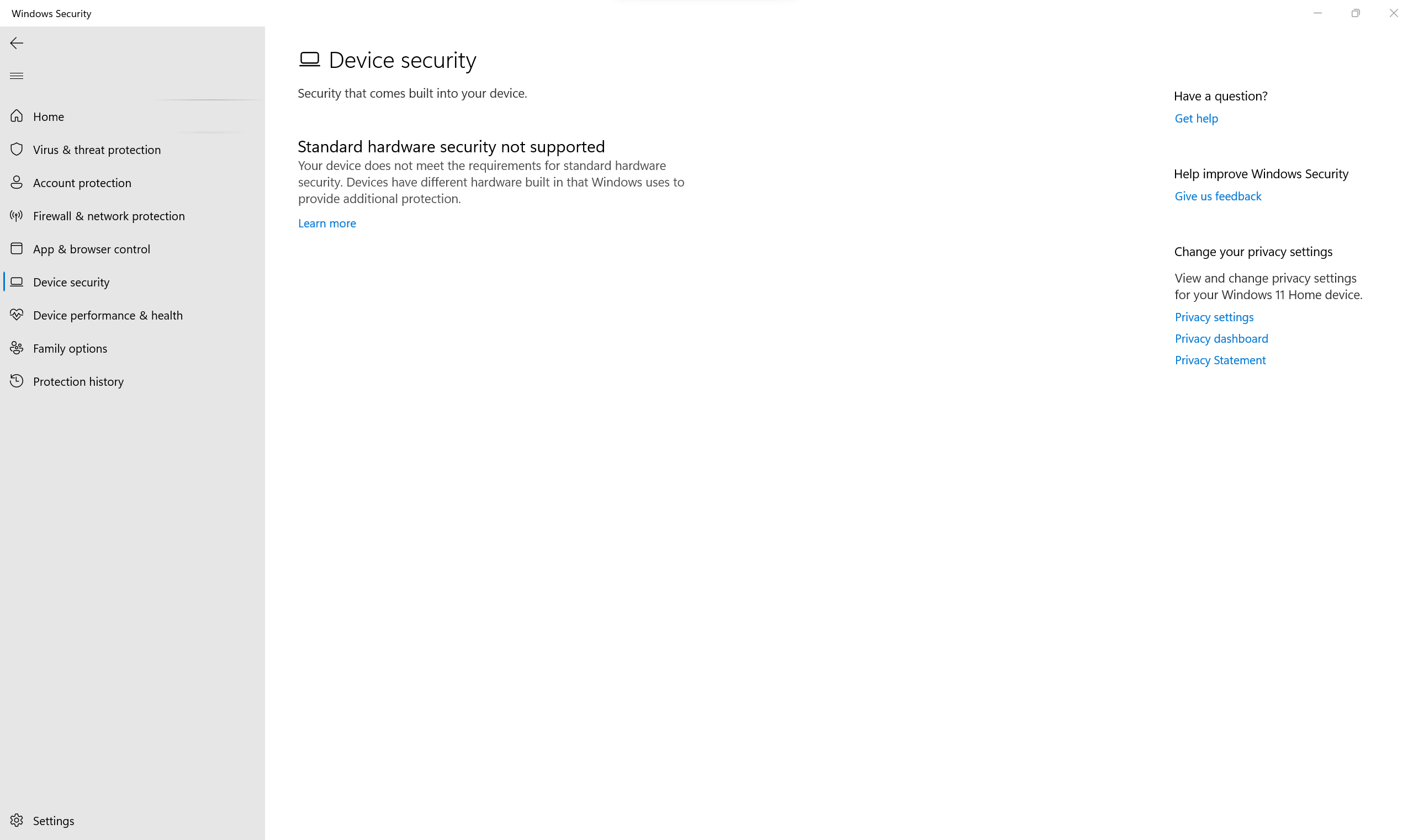
Have you ever tried to secure your devices, only to find out that standard hardware security is not supported? This can be frustrating and risky.
Without proper hardware security, your data and privacy may be exposed to threats you never imagined. You’ll discover why this happens, what it means for you, and how to protect yourself even when standard security isn’t available. Keep reading to learn how to stay safe and take control of your digital world.

Credit: www.reddit.com
Hardware Security Basics
Hardware security protects devices from attacks and unauthorized access. It uses special features built into the device.
Standard hardware security is not always supported on all devices. This can leave devices open to risks.
Common Security Features
Many devices include hardware features to improve security. These features help keep data safe and prevent tampering.
- Trusted Platform Module (TPM) for secure key storage
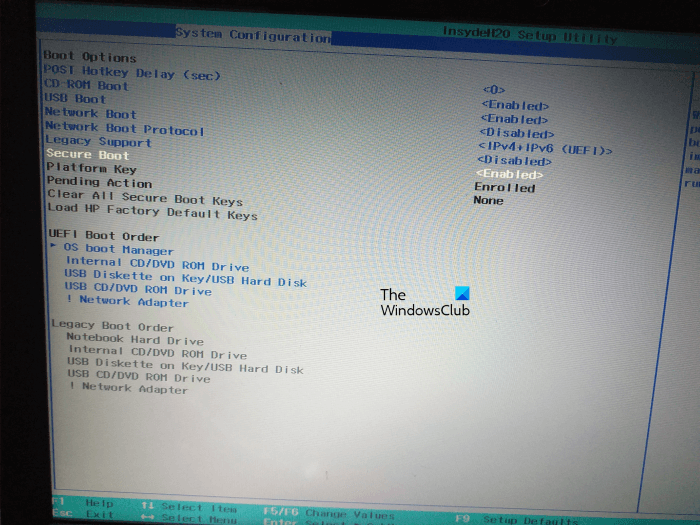
- Secure Boot to check software integrity at startup
- Hardware-based encryption engines
- Physical tamper detection sensors
- Biometric scanners like fingerprint readers
Role In Device Protection
Hardware security helps protect devices from hackers and malware. It adds a strong layer of defense.
Without hardware security, devices rely only on software. Software can be easier to attack or bypass.
- Prevents unauthorized access to sensitive data
- Ensures the device boots only trusted software
- Protects encryption keys from theft
- Detects physical tampering attempts
- Supports user authentication with biometrics

Credit: www.reddit.com
Risks Of Unsupported Hardware Security
Hardware security protects devices from unauthorized access and attacks. Unsupported hardware security means no updates or fixes. This situation creates many risks for users and organizations.
Understanding these risks helps to avoid serious problems with safety, data, and rules.
Increased Vulnerability To Attacks
Unsupported hardware security often has old or missing patches. Attackers find it easier to exploit these weaknesses. Devices can be infected with malware or taken over remotely.
- Hackers use known flaws to break in
- Malware can spread faster without protection
- Devices may be used in large-scale attacks
- Security gaps increase over time
Data Breach Consequences
When hardware security is unsupported, data leaks become more common. Sensitive information like passwords and personal details can be stolen.
| Consequence | Effect |
| Loss of Customer Trust | Users may leave the service |
| Financial Loss | Costs for fixing breaches and fines |
| Damage to Reputation | Long-term harm to brand image |
| Legal Action | Possible lawsuits from affected users |
Impact On Compliance
Many laws require strong hardware security measures. Unsupported hardware often fails to meet these rules. This can lead to penalties and stopped operations.
Key compliance risks include:
- Failure to meet data protection laws
- Inability to pass security audits
- Increased scrutiny from regulators
- Higher insurance costs
Identifying Unsupported Hardware
Standard hardware security features protect your devices from threats. Some devices do not support these features. It is important to identify unsupported hardware early.
Unsupported hardware can cause security risks and reduce system performance. Knowing how to spot these devices helps keep your system safe.
Signs And Symptoms
Unsupported hardware often shows clear signs. Your device may behave oddly or fail to load security features. Watch for these symptoms closely.
- Security software fails to install or run
- Warning messages about missing security modules
- Slow or unstable device performance
- Inability to enable encryption or secure boot
- Frequent system crashes or errors
These signs indicate your hardware might not support standard security. Do not ignore them to avoid data loss.
Tools For Detection
Several tools help detect unsupported hardware. These tools scan your system and report missing or incompatible security features.
- System Information utilities
- Hardware diagnostic software
- Security compliance checkers
- BIOS or UEFI firmware reports
- Third-party hardware compatibility apps
Use these tools regularly to ensure your hardware meets security standards. They help you find unsupported devices early.
Mitigation Strategies
Standard hardware security is not always supported. This creates risks for devices and data. It is important to use other ways to protect systems.
This article covers key steps to reduce security risks. We focus on software options, updates, and network protections.
Software-based Security Alternatives
Software security can help when hardware options are missing. It adds extra layers of defense to stop attacks.
- Use antivirus and anti-malware programs to detect threats.
- Enable firewalls to control incoming and outgoing traffic.
- Apply encryption tools to protect sensitive data.
- Employ multi-factor authentication to verify users.
Firmware Updates And Patches
Keeping firmware updated fixes security flaws. These updates close holes that hackers might exploit.
| Update Type | Purpose | Frequency |
| Security Patch | Fix known vulnerabilities | As released |
| Feature Update | Improve system functions | Periodic |
| Critical Update | Address urgent risks | Immediately |
Network Security Enhancements
Network controls protect devices even without hardware security. They limit access and monitor traffic.
- Segment networks to isolate sensitive areas.
- Use VPNs to secure remote connections.
- Implement intrusion detection systems to spot attacks.
- Regularly change passwords and access keys.
Best Practices For Secure Hardware Deployment
Deploying secure hardware is vital to protect data and maintain system integrity. Choosing the right devices and regular audits help ensure safety.
Training users also plays a key role in maintaining a secure environment. This guide outlines essential practices for secure hardware deployment.
Choosing Compatible Devices
Choosing devices that support security features is crucial. Always check compatibility before purchasing hardware.
- Check for devices with built-in encryption features
- Ensure compatibility with existing security protocols
- Select devices from reputable manufacturers
Regular Security Audits
Regular audits help identify vulnerabilities in your hardware setup. This practice prevents unauthorized access and data breaches.
Consider implementing a quarterly audit schedule.
User Training And Awareness
Training users increases awareness and reduces security risks. Ensure everyone understands how to operate hardware securely.
| Training Topic | Frequency |
| Basic Security Practices | Monthly |
| Advanced Hardware Features | Quarterly |
| Emergency Protocols | Bi-Annually |
Credit: www.thewindowsclub.com
Future Trends In Hardware Security
Hardware security is important to protect devices from attacks. As technology changes, new security methods will appear.
Standard hardware security is not enough for future threats. We need to explore new trends to keep devices safe.
Emerging Technologies
New technologies help improve hardware security. These include advanced chips and better encryption techniques.
Quantum computing and AI are changing how we protect hardware. They create new challenges and solutions.
- Trusted Execution Environments (TEE) offer safer processing areas.
- Physical Unclonable Functions (PUF) provide unique device IDs.
- Post-quantum cryptography protects against future quantum attacks.
- AI-based threat detection spots unusual hardware behavior.
Industry Standards Evolution
Industry standards guide how hardware security is built and tested. These rules are growing stricter to match new risks.
Organizations work on better standards to ensure devices resist attacks and protect data.
- New certification programs require stronger hardware protections.
- Standards include guidelines for secure boot and firmware updates.
- Collaboration between companies helps create unified security rules.
- Regular updates to standards address evolving threats.
Frequently Asked Questions
What Does "standard Hardware Security Not Supported" Mean?
It means your device's built-in security features are missing or disabled. This affects data protection and system integrity. Without standard hardware security, your device is more vulnerable to cyberattacks and unauthorized access.
Why Is Standard Hardware Security Important?
Standard hardware security protects your device at a fundamental level. It prevents unauthorized firmware changes and secures encryption keys. This security is essential to maintain device trustworthiness and safeguard sensitive information.
How Can I Check If My Device Supports Hardware Security?
You can check in your device’s BIOS or UEFI settings for security features. Look for options like TPM (Trusted Platform Module) or Secure Boot. Operating system tools can also help verify hardware security support.
What Risks Arise From Lacking Hardware Security Support?
Without hardware security, devices face higher risks of malware attacks and data breaches. Sensitive data can be exposed or altered. It also weakens overall system defense, making devices easier targets for hackers.
Conclusion
Standard hardware security gaps can expose your devices to risks. Protecting data requires extra care beyond basic hardware features. Always update your software and use strong passwords. Consider additional security tools for better protection. Stay aware of new threats and act quickly.
Simple steps help keep your information safe. Security is a shared responsibility for everyone. Don’t rely only on default hardware security. Take control and strengthen your digital safety today.