

Are you worried about the safety of your home but don’t want to spend a fortune on complicated security systems? Installing your own home security cameras might be the perfect solution.
Imagine having the power to watch over your property anytime, anywhere, without relying on expensive professionals. You’ll discover simple, step-by-step tips to set up reliable security cameras yourself. By the end, you’ll feel confident protecting what matters most—your home and family—while saving money and gaining peace of mind.
Keep reading to find out how easy it can be to boost your home’s security today.
Credit: www.techradar.com
Benefits Of Diy Home Security Cameras
DIY home security cameras offer many advantages. They provide control, convenience, and savings. Many homeowners prefer these cameras for their homes. These systems can meet different needs with ease.
DIY cameras allow users to customize setups. They also simplify the installation process. These benefits make home security more accessible.
Cost Savings Compared To Professional Systems
DIY cameras cost less than professional systems. No monthly fees or contracts are needed. Users buy only the equipment they want. This reduces overall expenses significantly.
There are no hidden service charges. No need to pay for installation by experts. Savings can be used for other home improvements.
Flexibility And Customization
Users can place cameras anywhere around the home. Add or remove cameras as needed. Choose features that fit specific security needs.
Most DIY systems support mobile apps for easy control. Settings can be changed anytime without waiting. This flexibility suits changing security requirements.
Ease Of Installation And Setup
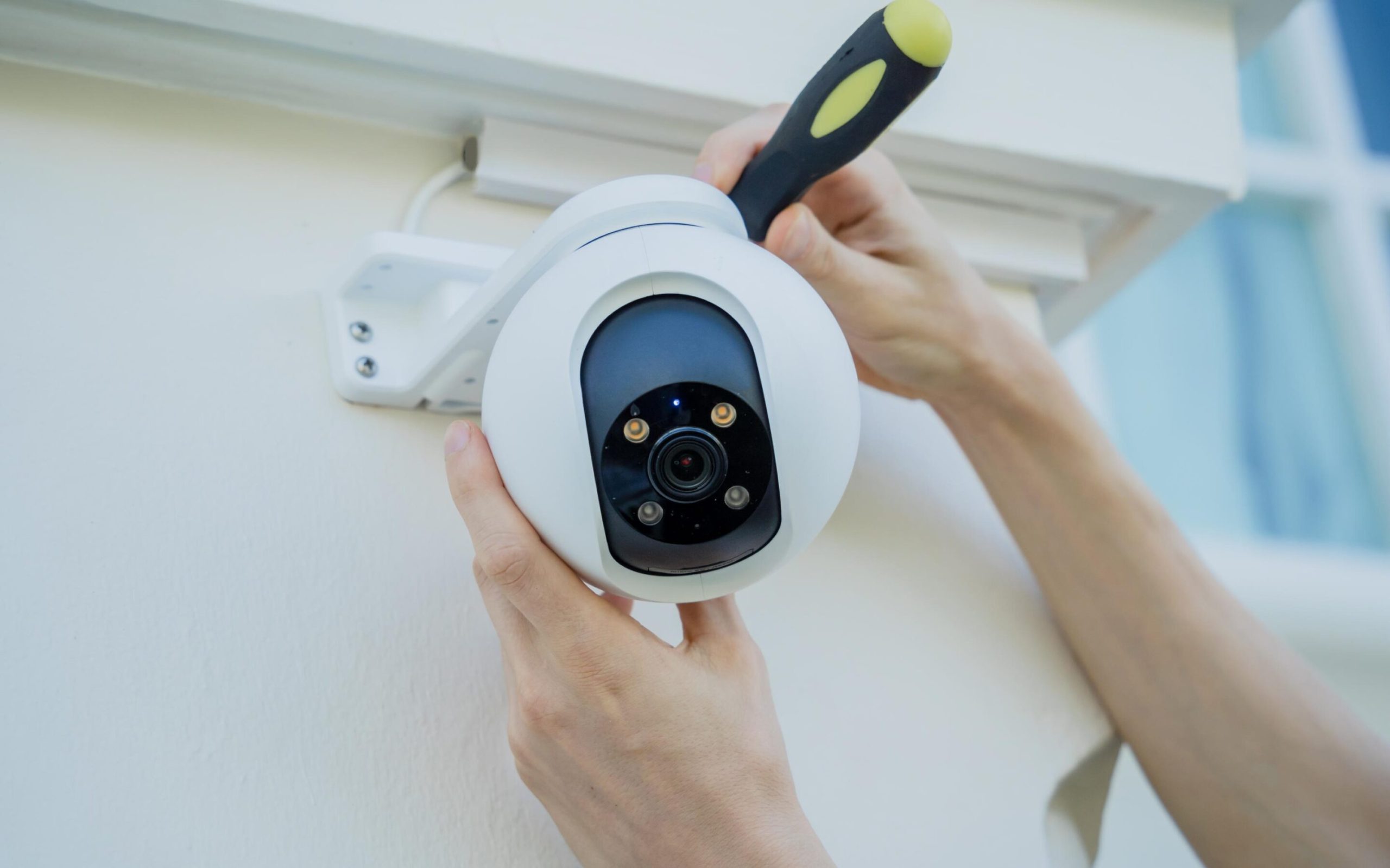
DIY cameras come with clear instructions. Most models are wireless and easy to mount. No special tools or skills are required.
Setup can be done in minutes. Users connect cameras to Wi-Fi and start monitoring. This saves time and effort compared to professional installations.
Types Of Diy Security Cameras
Choosing the right DIY home security camera can feel overwhelming with so many options available. Understanding the different types helps you pick a system that fits your needs and budget. Let’s break down the main categories to help you make a confident choice.
Wired Vs Wireless Cameras
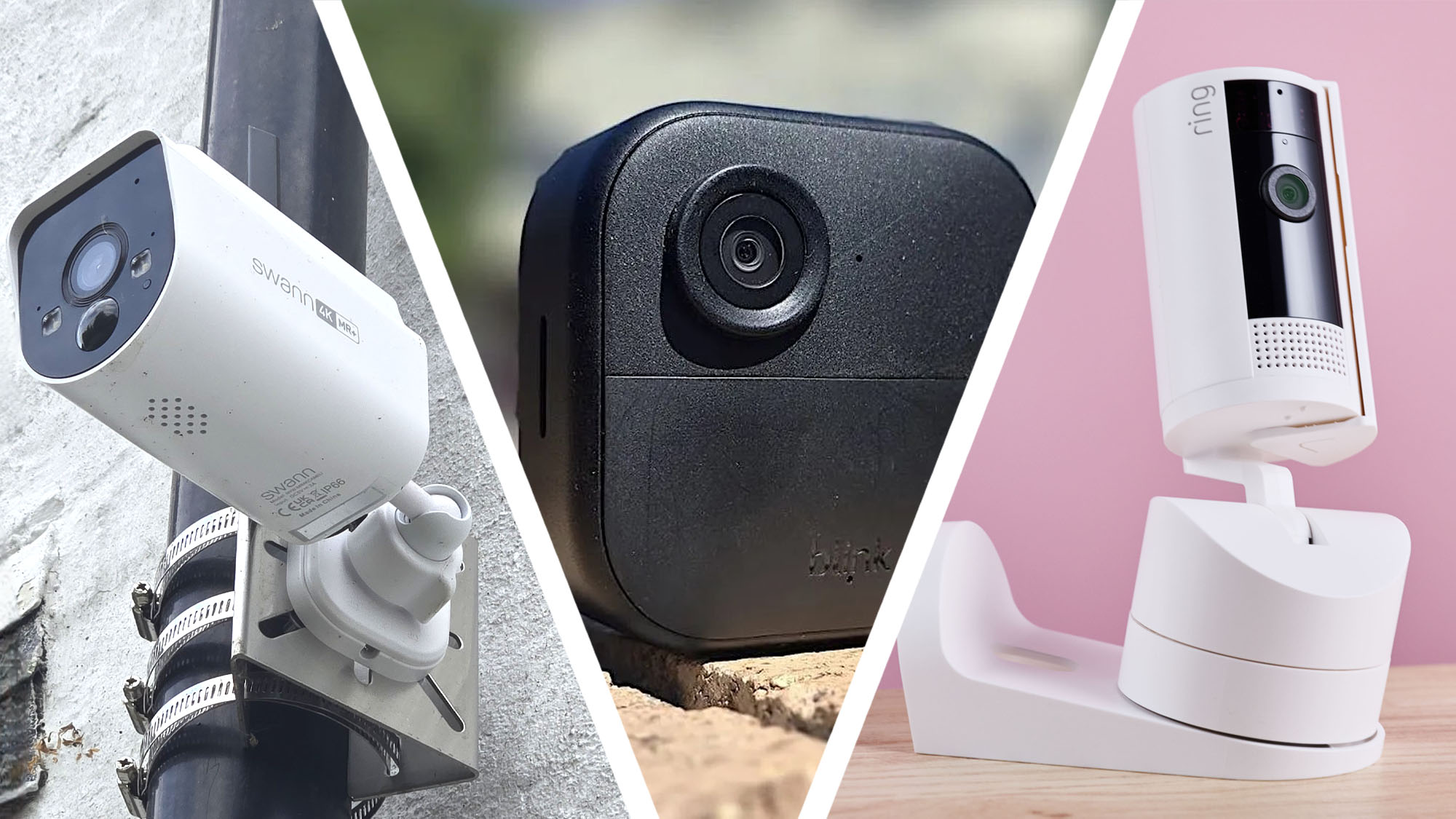
Wired cameras connect to your home’s power and network through cables. They often provide more stable video quality and less interference. However, installation can be tricky and might require drilling or running wires through walls.
Wireless cameras use Wi-Fi to transmit video and usually run on batteries or plug into outlets. They are easier to install and move around. But keep in mind, they depend on your Wi-Fi strength and may experience occasional lag or signal dropouts.
Indoor Vs Outdoor Options
Indoor cameras focus on monitoring areas inside your home, such as living rooms or nurseries. These cameras often have sleek designs and prioritize features like two-way audio and night vision. They typically don’t need to be weatherproof.
Outdoor cameras are built to withstand rain, wind, and extreme temperatures. They come with weatherproof casings and often include motion detection, floodlights, or sirens. Placing cameras outside can deter burglars before they reach your door.
Features To Look For
Look for cameras with clear video resolution—1080p is a good standard for identifying faces and details. Night vision is essential if you want 24/7 protection, especially outdoors.
- Motion detection:Alerts you to activity without needing constant monitoring.
- Two-way audio:Lets you talk through the camera, useful for greeting guests or scaring off intruders.
- Cloud storage:Saves video clips securely offsite, so you don’t lose footage if the camera is damaged.
Think about your home layout and daily routine. What features would make your life easier and your security stronger? Your answers will guide you to the best DIY security camera setup.
Choosing The Right Camera For Your Home
When setting up a DIY home security system, choosing the right camera is crucial. The right camera ensures comprehensive coverage and peace of mind. But how do you determine which camera suits your needs?
Assessing Your Security Needs
Begin by evaluating your home's specific security requirements. Consider which areas are most vulnerable. Is it the front door, backyard, or perhaps a side entrance?
Think about how many cameras you'll need to cover these areas effectively. Write down your priorities to narrow down your options. This ensures you focus on features that truly matter for your unique setup.
Camera Resolution And Field Of View
A camera's resolution significantly affects the clarity of the footage. Higher resolution cameras capture more detail, which can be crucial in identifying faces or license plates.
Field of view determines how much area the camera can cover. A wider field of view means fewer cameras needed to cover a large area.
Do you need detailed close-ups or broad, sweeping views? Balancing these aspects can lead to better coverage and cost savings.
Night Vision And Motion Detection
Security threats don't adhere to a schedule, making night vision a vital feature. Cameras equipped with infrared LEDs can monitor your property even in complete darkness.
Motion detection adds another layer of security, alerting you to any unusual activity. You can receive instant notifications on your phone when motion is detected.
Have you considered how often you need alerts? Fine-tuning these settings can prevent unnecessary notifications, keeping you informed without overwhelming you.
Credit: www.youtube.com
Installation Tips For Diy Cameras
Installing your DIY home security cameras can be straightforward, but a few key tips will make sure you get the best coverage and performance. The right setup helps catch every detail and keeps your system reliable. Let’s look at how to place, mount, and connect your cameras for maximum effectiveness.
Best Locations To Install Cameras
Think about entry points first—doors, windows, and garages are prime spots. These areas are where intruders often try to enter, so having clear views here is crucial.
Also, consider common walkways and driveways to monitor movement around your home. Don’t forget blind spots like the backyard or side alleys that might be easy to miss but important to cover.
Have you noticed any unusual activity in specific spots around your home? Positioning cameras to watch those areas can provide peace of mind and valuable footage.
Mounting And Positioning Advice
Mount cameras high enough to avoid tampering but low enough to capture clear facial features. About 8 to 10 feet off the ground is usually ideal.
Angle the cameras slightly downward to cover a wider area and reduce glare from lights or the sun. Avoid pointing them directly at bright light sources to prevent washed-out images.
Secure the mounts tightly to prevent shifting from wind or vibrations. I once had a camera that kept moving after a storm—it made the footage useless until I re-secured it properly.
Connecting To Wi-fi And Power Sources
Place your cameras where the Wi-Fi signal is strong; weak signals cause lag and dropped footage. Test your Wi-Fi strength before final installation using your phone or a Wi-Fi analyzer app.
If possible, position cameras near power outlets to avoid running long extension cords, which can be messy and unsafe. Battery-powered cameras offer flexibility but require regular charging or battery changes.
Consider how weather affects your wiring and connections. Outdoor-rated cables and waterproof covers can protect your setup from rain and snow, ensuring consistent performance.
Integrating Cameras With Smart Home Systems
Integrating your DIY home security cameras with smart home systems can transform the way you monitor and protect your space. It brings convenience and real-time control right to your fingertips. Imagine being able to check your cameras, get alerts, and even control other devices with simple voice commands or a tap on your phone.
Compatibility With Voice Assistants
Many DIY security cameras work smoothly with popular voice assistants like Alexa, Google Assistant, and Siri. This means you can ask your smart speaker to show the camera feed on your TV or display, making it easier to keep an eye on things without reaching for your phone.
Check if your camera brand supports these assistants before buying. Some cameras allow you to arm or disarm security modes using voice commands, adding another layer of convenience. Have you ever tried telling your assistant to “show the front door camera” while cooking? It’s a simple way to stay informed without interrupting your routine.
Using Mobile Apps For Monitoring
Mobile apps are the heart of managing your DIY security cameras. They let you watch live video, review recorded clips, and control camera settings from anywhere. The best apps offer user-friendly interfaces with clear visuals and easy navigation, even if you’re not tech-savvy.
Some apps let multiple users access the camera feed, which is handy if you want family members to stay informed. Look for apps that support both iOS and Android, so you’re covered regardless of your device. How often do you check your security camera app? Setting a routine can help you stay proactive about home safety.
Setting Up Alerts And Notifications
Alerts and notifications are crucial for timely responses. Most DIY cameras allow you to customize alerts based on motion detection, sound, or even specific zones within the camera’s view. This customization reduces false alarms and ensures you only get notified about important events.
You can receive notifications via mobile app, email, or even smart home hubs. Some systems offer instant video clips with alerts, so you see what triggered the notification right away. Have you tailored your alerts to avoid unnecessary distractions? Fine-tuning these settings can make a big difference in how you react to potential security issues.

Credit: www.guardiansecurity.co
Maintaining And Troubleshooting Cameras
Keeping your DIY home security cameras in top shape is key to reliable protection. Maintenance and troubleshooting don't have to be complicated or time-consuming. With simple habits and quick fixes, you can ensure your cameras work smoothly and last longer.
Regular Cleaning And Updates
Dirt, dust, and spider webs can easily block your camera lens and reduce image quality. Wipe the lens gently with a microfiber cloth every few weeks to keep the view clear. Avoid harsh chemicals—plain water or lens cleaner works best.
Software updates improve security and add new features. Check your camera’s app or website regularly for firmware updates. These updates often fix bugs and improve performance, so don’t ignore the notifications.
Common Issues And Fixes
Is your camera offline or not recording? Start by checking your Wi-Fi connection—weak signals cause most problems. Restart your router and camera to refresh the connection.
If the video feed is blurry or lagging, adjust the camera angle or clean the lens. Sometimes, changing the camera’s position to avoid direct sunlight or glare can improve the image dramatically.
Battery-powered cameras may stop working due to low power. Replace batteries promptly or switch to a wired option if possible. Have you ever missed a crucial moment because your camera battery died?
Extending Camera Lifespan
Protect your cameras from extreme weather by installing covers or placing them under eaves. Excessive rain, heat, or cold can damage internal components over time.
Secure all cables and mounts firmly. Loose connections can cause interruptions or physical damage if the camera falls. Regularly inspect your setup to catch wear and tear early.
Consider using surge protectors to guard against power spikes. This simple step can save your camera from electrical damage during storms or power outages.
Privacy And Legal Considerations
Setting up your own home security cameras is empowering, but it also comes with important privacy and legal responsibilities. Protecting your home shouldn’t mean invading someone else’s privacy or risking legal trouble. Paying attention to these details helps you use your system confidently and respectfully.
Recording Laws And Regulations
Every state and country has different rules about recording video and audio. Some places allow video recording in public areas but restrict audio recording without consent. You need to check local laws before installing cameras, especially if they capture neighbors’ property or public spaces.
Think about where your cameras point. Avoid areas where people expect privacy, like bathrooms or neighbors’ yards. Ignoring these rules can lead to fines or legal action, which isn’t worth the risk.
Protecting Your Data
Your security cameras generate a lot of sensitive footage. If this data isn’t protected, hackers could access your personal life or even use it against you. Use strong passwords, enable two-factor authentication, and keep your camera firmware updated.
Consider where your footage is stored. Cloud storage is convenient but can be vulnerable if the service isn’t secure. Storing footage locally on encrypted drives adds an extra layer of protection.
Respecting Neighbors’ Privacy
It’s easy to forget that your cameras might capture more than just your property. Pointing cameras away from neighbors’ homes avoids unnecessary conflicts. Have you ever thought about how you’d feel if a neighbor’s camera watched your backyard?
If you need to cover shared areas, talk openly with your neighbors about your security setup. Clear communication can prevent misunderstandings and build trust. After all, your security system should protect your home without creating tension around it.
Enhancing Security Beyond Cameras
Home security cameras are a vital part of protecting your home. Still, true safety needs more than just cameras. Combining cameras with other security measures builds a stronger defense. Simple habits and devices can greatly reduce risks. This section explores ways to boost security beyond cameras.
Complementary Security Devices
Adding devices increases your home’s protection. Motion sensors detect movement in key areas. Alarm systems alert you and neighbors to threats. Smart lights turn on automatically at night. Doorbell cameras let you see visitors instantly. These tools work with cameras to cover blind spots. Together, they create multiple layers of safety.
Securing Doors And Windows
Doors and windows are common entry points for intruders. Use strong locks on every door and window. Reinforce frames with metal plates or bars. Install door viewers or peepholes to check visitors. Use window sensors that trigger alarms on opening. Keep windows locked even when you are home. These steps make breaking in much harder.
Establishing Safety Habits
Good habits improve home security every day. Always lock doors and windows before leaving. Avoid sharing your travel plans publicly. Check your security devices regularly for proper function. Keep valuables out of sight from windows. Teach family members about security routines. Consistent habits help prevent many break-ins.
Frequently Asked Questions
What Are The Benefits Of Diy Home Security Cameras?
DIY home security cameras are affordable and easy to install. They offer flexibility, remote monitoring, and customizable features. You can avoid costly professional fees. These systems provide real-time alerts and video footage to enhance your home safety.
How Do Diy Security Cameras Connect To Wi-fi?
DIY security cameras typically connect via your home Wi-Fi network. They use wireless signals to transmit video data. Setup usually involves a mobile app to configure the connection. Strong Wi-Fi ensures smooth, uninterrupted video streaming and remote access.
Can I Install Diy Cameras Without Professional Help?
Yes, DIY cameras are designed for simple self-installation. They come with clear instructions and mounting kits. Most require minimal tools and no technical skills. This saves time and money compared to professional installation services.
Are Diy Cameras Compatible With Smart Home Devices?
Many DIY cameras integrate with smart home systems like Alexa or Google Assistant. This allows voice control and automation. Check product specifications for compatibility before purchasing. Integration enhances convenience and security management.
Conclusion
DIY home security cameras help protect your home and family. You can install them yourself without extra cost. They offer clear video and easy control through apps. Choose the right camera that fits your needs and budget. Regular checks keep your system working well.
Taking simple steps improves safety and peace of mind. Start small, and add more cameras if needed. Protecting your home is easier than you think. Stay safe, stay smart.

