

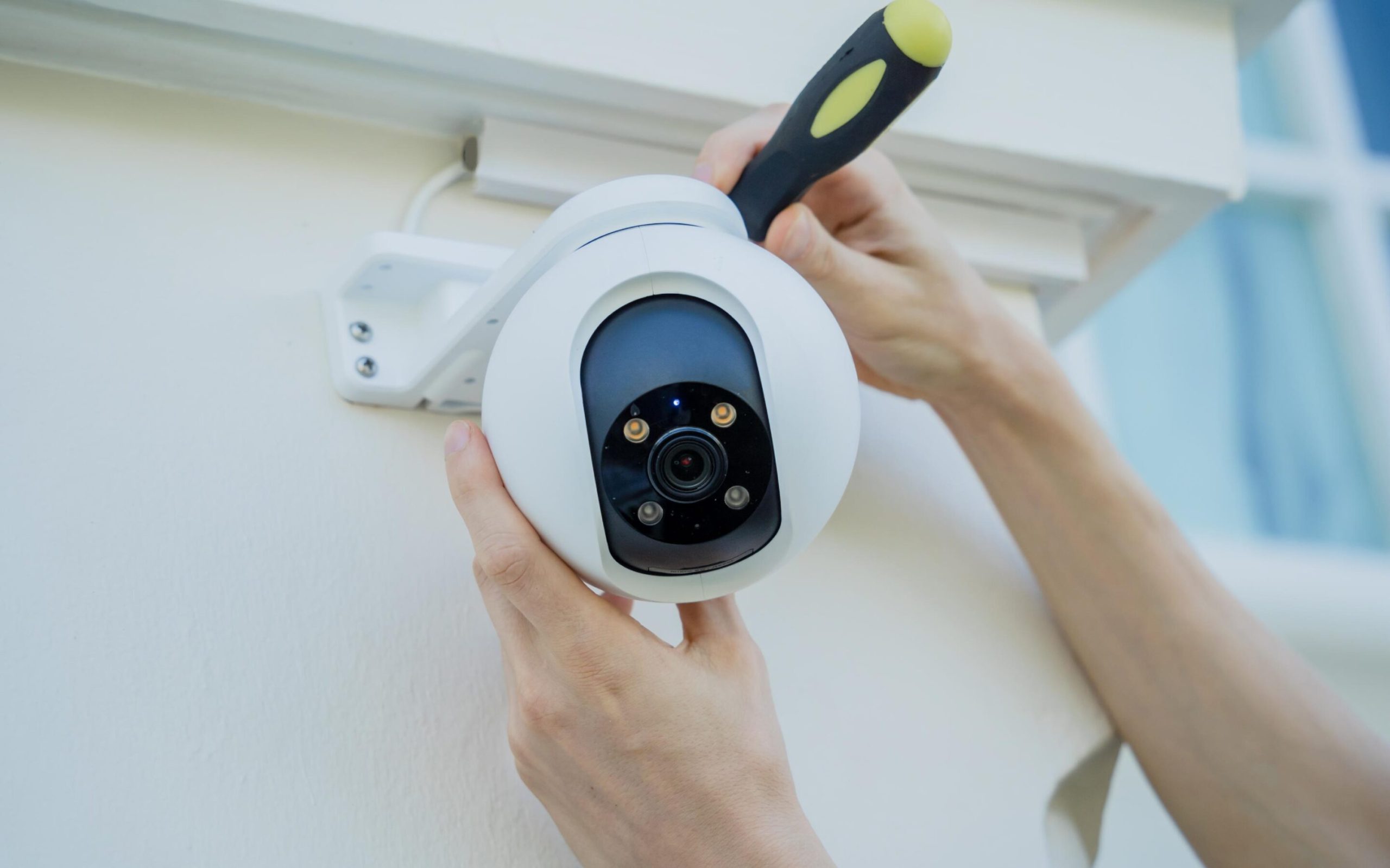
Are you worried about keeping your home safe without spending a fortune? A Do It Yourself Home Security System might be exactly what you need.
Imagine having full control over your home’s protection, setting it up quickly, and customizing it to fit your unique needs. This guide will show you how easy and affordable it can be to secure your space on your own terms.
Keep reading to discover simple steps that put your safety first—without the hassle or high costs. Your peace of mind is just a few clicks away.
Benefits Of Diy Home Security
Choosing a DIY home security system offers several advantages that go beyond just protecting your home. It puts control in your hands, letting you shape your security setup exactly how you want it. Here’s a closer look at what makes DIY systems a smart choice for many homeowners.
Cost Savings Compared To Professional Systems
DIY home security systems typically cost less upfront than professionally installed ones. You avoid installation fees, which can add up quickly with traditional setups. Plus, many DIY systems have no or low monthly monitoring charges, saving you money over time.
Think about how much you spend on subscriptions for other services. Could cutting down on monitoring fees free up your budget for other home improvements?
Customization And Flexibility
With DIY systems, you pick and choose the components that fit your needs. Whether it’s cameras, door sensors, or motion detectors, you decide what to add or remove. This flexibility means your system can grow or change as your security concerns evolve.
You might start with just a few sensors and later add smart locks or video doorbells. Why settle for a fixed package when you can tailor your security setup exactly to your lifestyle?
Ease Of Installation And Maintenance
DIY security products are designed for easy installation, often requiring just a few tools and minimal technical knowledge. This means you can set up your system on your schedule, without waiting for a technician. Maintenance is straightforward too, with many apps providing clear alerts and instructions.
Have you ever felt frustrated waiting for service appointments? Installing and managing your own system puts you in charge, so you can fix issues or upgrade components right away.
Essential Components Of A Diy System
Setting up a DIY home security system means choosing the right components that work well together to protect your space. Each piece plays a unique role in keeping your home safe and giving you peace of mind. Let’s break down what you really need to build an effective DIY setup.
Security Cameras
Security cameras are your eyes when you're not at home. They help you monitor entrances, backyards, and other vulnerable spots. Look for cameras with clear video quality and night vision to catch details anytime.
Wireless cameras make installation easier and allow flexible placement. Some models send alerts and live feeds directly to your phone, so you can check in anytime. Think about where you want to place them—cover main doors, driveways, or common areas.
Motion Sensors
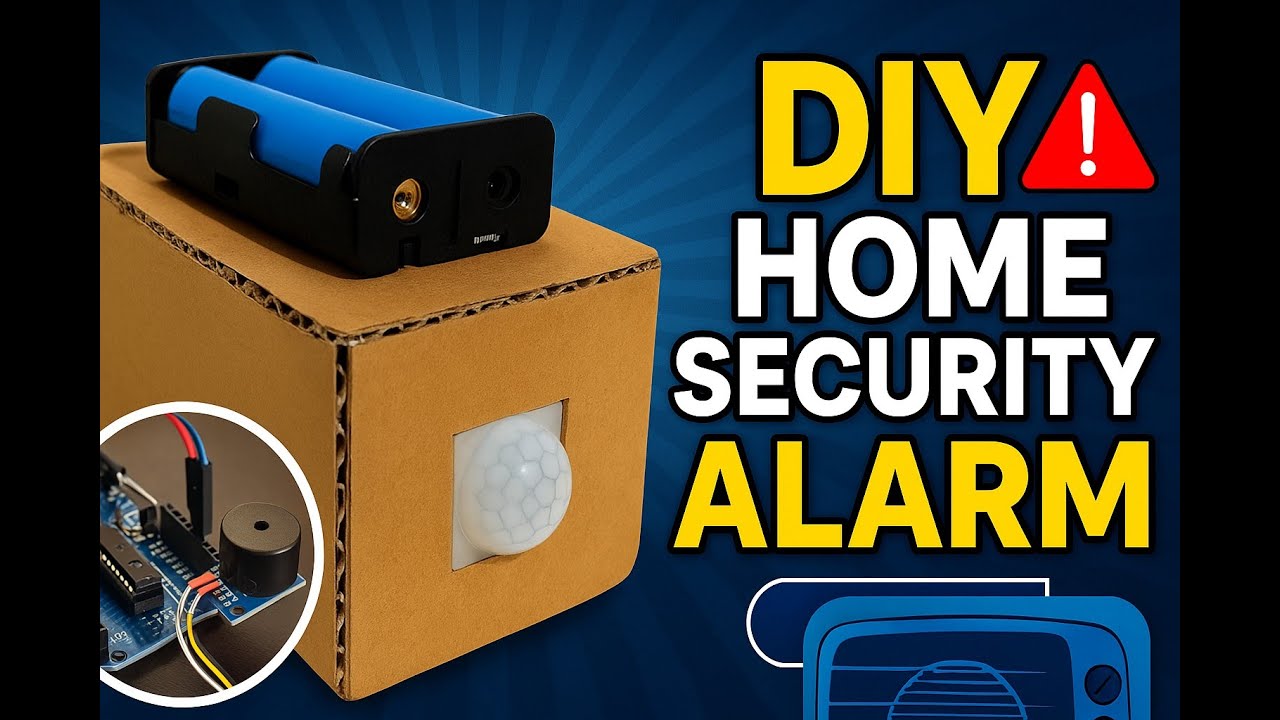
Motion sensors act as an early warning system. They detect movement and can trigger alarms or alert your phone immediately. This helps catch intruders before they get too far inside.
Placement matters—install sensors near windows, hallways, or any entry points. Choose sensors with adjustable sensitivity to avoid false alarms from pets or passing cars. Have you tested your sensor’s range yet?
Alarm Systems
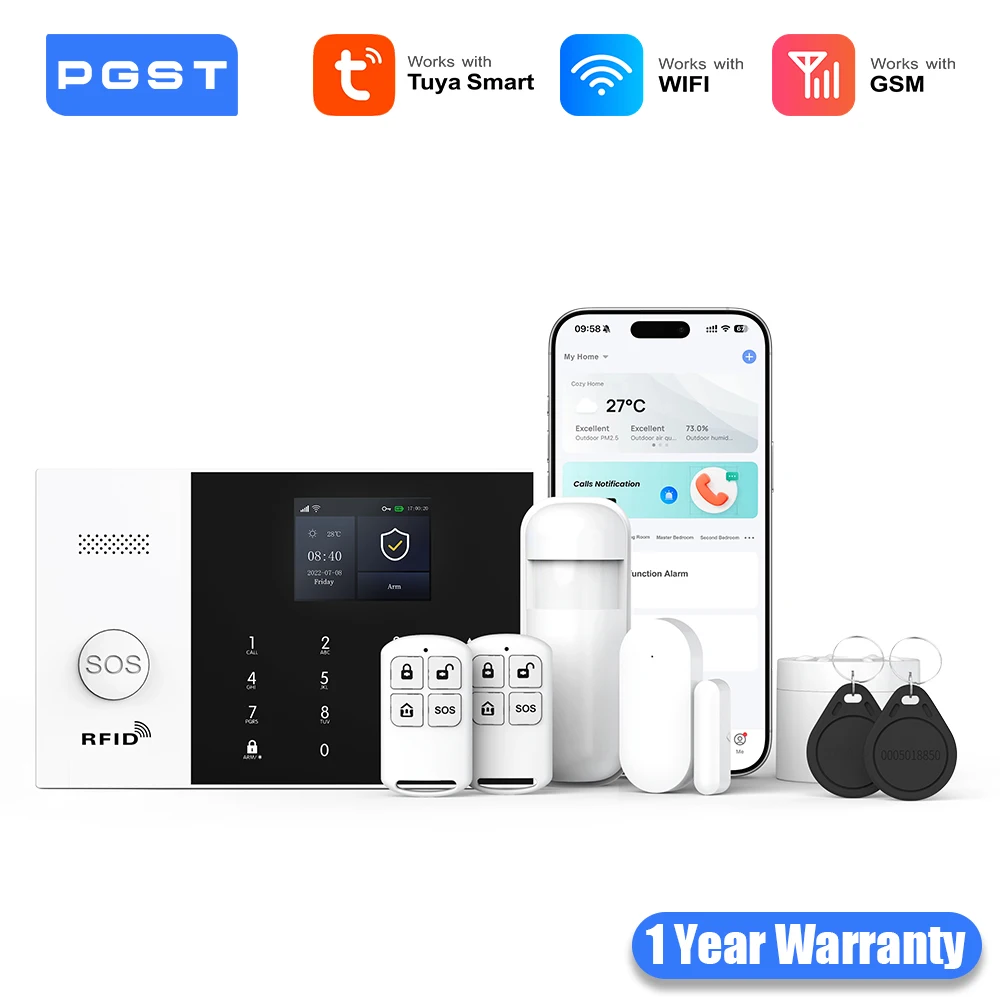
An alarm system adds a loud, clear signal to scare off intruders and notify neighbors. It connects with sensors and cameras to activate when something’s wrong. Some alarms also send alerts directly to your phone or a monitoring service.
Pick a system that’s easy to arm and disarm. Look for options that offer customizable alerts and different siren volumes. Would you prefer a silent alarm that alerts you discreetly or a loud one that draws attention?
Smart Locks And Door Sensors
Smart locks give you control over who enters your home without needing physical keys. You can lock or unlock doors remotely and receive notifications when someone comes or goes. This adds convenience and security.
Door sensors detect if a door or window is opened unexpectedly. They work with alarms to alert you instantly. Combining smart locks with door sensors creates a strong first line of defense—are your main entry points covered?
Choosing The Right Equipment
Choosing the right equipment for your DIY home security system is crucial to ensuring your home is both safe and functional. With numerous options available, finding the perfect fit can feel overwhelming. However, by focusing on key factors such as device type, compatibility, and power sources, you can tailor a system that meets your specific needs.
Wired Vs Wireless Devices
Deciding between wired and wireless security devices is a pivotal step in your DIY setup. Wired devices often provide a more stable connection, reducing the risk of interference, but they can be challenging to install due to the need for professional wiring. On the other hand, wireless devices offer flexibility and ease of installation, perfect for renters or those who frequently relocate.
Compatibility With Smart Home Devices
Integrating your security system with smart home devices can enhance functionality and convenience. Ensure that your chosen equipment is compatible with existing smart home platforms like Amazon Alexa, Google Assistant, or Apple HomeKit. This way, you can control your security system alongside other smart devices, creating a seamless home automation experience.
Battery Life And Power Options
Reliable power is essential for maintaining your security system's effectiveness. Consider the battery life of wireless devices, as frequent battery replacements can be cumbersome. Also, explore solar-powered options or systems with backup power sources to ensure continuous operation during power outages.

Credit: www.facebook.com
Step-by-step Installation Guide
Installing your own home security system might seem challenging at first, but breaking it down into clear steps makes it manageable and even rewarding. You'll gain not only a safer home but also confidence in maintaining and customizing your system. Let’s walk through the essential stages to get your DIY security setup running smoothly.
Planning Your Security Layout
Begin by assessing your home's vulnerable points. Think about entryways like doors and windows, as well as blind spots in your yard or garage. Mapping these areas helps you decide where cameras and sensors will be most effective.
Sketch a simple floor plan or use an app to mark spots for each device. Consider the range and field of view for cameras to avoid blind areas. Remember, placing sensors too close to each other can cause false alarms, so space them thoughtfully.
Ask yourself: Which areas do you worry about most? Prioritize those in your layout to maximize security coverage.
Installing Cameras And Sensors
Start by mounting cameras at a height that prevents tampering but keeps a clear view. Corners overlooking driveways or entrances are ideal. Use a sturdy drill and anchors to ensure the cameras stay secure through weather changes.
For sensors, attach them on window frames or door jambs where they can detect opening or movement. Test each sensor's sensitivity during installation to avoid constant false alerts. A personal tip: label each device during setup; it simplifies troubleshooting later.
Check the angle and connectivity immediately after installation to confirm they work as expected.
Setting Up The Control Panel
The control panel is the command center for your system. Place it in a central location, preferably near your main entrance for easy access. Power it up and follow the manufacturer’s instructions to link all cameras and sensors.
During setup, assign recognizable names to each device. This helps when you receive alerts and need to act quickly. If your panel has a backup battery, test it to ensure it functions during power outages.
Have you considered how you’ll arm and disarm the system daily? Planning this now saves frustration later.
Connecting To Mobile Apps
Most DIY systems come with mobile apps that let you monitor your home remotely. Download the app and create an account. Pair your system by scanning QR codes or entering device IDs, depending on your setup.
Enable notifications so you get instant alerts if something unusual happens. Experiment with features like live streaming or two-way audio to understand their benefits. Secure your app with a strong password and, if available, two-factor authentication.
How often will you check the app? Setting a routine can keep you engaged and responsive to your home's security needs.
Tips For Maximizing Security
Maximizing the effectiveness of your DIY home security system goes beyond just installing the devices. It requires thoughtful placement, regular upkeep, and community involvement. Small adjustments and consistent checks can make a significant difference in keeping your home safe.
Optimal Placement Of Devices
Where you put your cameras and sensors matters a lot. Place cameras at main entry points like front and back doors, but don’t forget about side entrances and garage doors. Position motion sensors in areas where intruders are likely to pass, such as hallways or near windows.
Think about hiding your devices in plain sight or using covers that blend with your home’s exterior. This can prevent tampering and keep your system working longer. Have you checked if your current device placement leaves any blind spots?
Regular System Testing
Your security system is only as good as its functionality. Test cameras, alarms, and sensors at least once a month to ensure they respond correctly. Battery-operated devices need special attention—replace batteries before they run out to avoid surprises.
Try simulating an intrusion to see if alerts reach your phone or monitoring service. This practice helps you catch glitches early and gives you confidence in your system. When was the last time you tested your setup?
Integrating With Neighborhood Watch
Connecting your DIY system with your neighborhood watch can multiply its effectiveness. Share alerts and suspicious activity with neighbors through apps or community groups. This collective vigilance creates a safer environment for everyone.
Consider organizing regular meetups or online chats with your neighbors to discuss security updates and share tips. How often do you communicate with your neighbors about safety concerns? Building these relationships can turn your home security into a community effort.
Credit: www.youtube.com
Common Challenges And Solutions
Setting up a DIY home security system brings many benefits but also some challenges. These issues can affect the system’s reliability and user experience. Understanding common problems and their solutions helps maintain a safe and smooth operation.
Many users face false alarms, connectivity hiccups, and worries about privacy. Each problem has practical fixes that keep your home secure without frustration.
Dealing With False Alarms
False alarms waste time and cause unnecessary stress. They often happen due to sensor misplacement or environmental factors.
- Place sensors away from heat sources, pets, or moving objects.
- Adjust sensor sensitivity to reduce false triggers.
- Test sensors regularly to ensure proper function.
- Use smart alerts that notify you before sounding a full alarm.
Troubleshooting Connectivity Issues
Connectivity problems can disrupt monitoring and alerts. These issues usually stem from weak Wi-Fi or device interference.
- Position your router centrally for better coverage.
- Check for firmware updates on security devices.
- Restart devices and router if signals drop.
- Use a Wi-Fi extender to boost signal strength.
Ensuring Privacy And Data Security
Privacy is crucial with connected home security systems. Data breaches can expose sensitive information.
- Change default passwords to strong, unique ones.
- Enable two-factor authentication on your system’s app.
- Keep software and apps updated to fix vulnerabilities.
- Review privacy settings and limit data sharing.
Upgrading And Expanding Your System
Upgrading and expanding your DIY home security system keeps your home safer over time. You can add more sensors and cameras to cover new areas. Enhancing your system with smart home features makes it easier to control. Planning ahead helps your setup stay useful as technology improves.
Adding New Sensors And Cameras
Start by identifying weak spots in your current coverage. Add door and window sensors in less protected areas. Place cameras in blind spots or new entry points. Choose wireless options for easy installation. Test each device after adding it to ensure it works.
Incorporating Smart Home Features
Integrate smart locks for keyless entry control. Use voice assistants to arm or disarm the system. Link security devices with smart lights to deter intruders. Set up alerts on your phone for instant updates. This makes managing your security system simple and quick.
Future-proofing Your Setup
Pick equipment compatible with future upgrades. Select systems that support firmware updates. Avoid devices tied to outdated technology. Keep cables and mounting points ready for new sensors. Regularly check for new features or security patches.
Credit: www.aliexpress.com
Frequently Asked Questions
What Is A Diy Home Security System?
A DIY home security system lets you install and manage security devices yourself. It saves money and offers flexibility without professional help.
How Much Does A Diy Home Security System Cost?
DIY systems typically cost between $100 and $500. Prices vary by device types and features chosen for your home.
Are Diy Security Systems Reliable Compared To Professional Ones?
DIY systems offer solid protection but may lack advanced monitoring. They are reliable for basic security needs and personal control.
Can I Integrate Smart Devices With A Diy Security System?
Yes, most DIY systems support smart home integration. You can connect cameras, sensors, and alarms to your smartphone or voice assistants.
Conclusion
Installing your own home security system saves money and offers control. You can choose devices that fit your needs and budget. Setting up is easier than many think. Regular checks keep your system working well. A DIY security system helps protect your home and family.
Feeling safe starts with taking simple steps yourself. Start small, grow your system over time. Peace of mind is worth the effort. Your home security is in your hands.

