Have you ever noticed a small padlock icon next to a website address and wondered why it matters so much? That little symbol holds the key to your online safety and privacy.
Understanding what the padlock icon means can protect your personal information from hackers and give you peace of mind while browsing. Keep reading to discover why this simple icon is one of the most important signs of security on the internet—and how you can use it to stay safe every time you go online.
Padlock Icon Basics
The padlock icon is a small image that shows security. It is used on websites and apps.
This icon tells users their data is safe. It is simple but very important for trust.
Origin And Evolution
The padlock symbol started as a real lock used on doors and boxes. It showed something was protected.
With the internet, the icon changed to show online safety. It now appears in browsers to show secure sites.
- Old padlocks were physical locks
- Internet use made the icon digital
- Browsers use the icon for HTTPS security
Common Designs
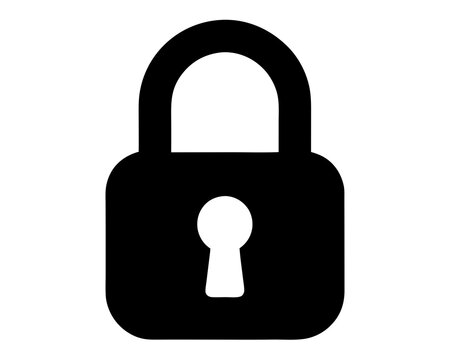
Padlock icons can look different but share some parts. Most show a lock body and a shackle.
Some icons are open to show unlocked state. Others use color to show security levels.
- Closed padlock means secure
- Open padlock means not secure
- Colors like green show safety
- Simple shapes keep the icon clear

Credit: www.shutterstock.com
Role In Web Security
The padlock icon shows if a website is safe to use. It helps users know their information is private.
This icon is important for protecting data from hackers. It builds trust between users and websites.
Https And Ssl Certificates
HTTPS means the website uses a secure connection. It protects data sent between the user and the site.
SSL certificates confirm a site's identity. They create a safe channel for information to travel.
- SSL encrypts data to stop spying
- HTTPS shows the site is using SSL
- Websites must renew SSL certificates regularly
How Browsers Display The Icon
Browsers show the padlock icon near the web address. This icon means the site is secure with HTTPS.
If the padlock is missing or has a warning, the site may not be safe. Users should be careful on these sites.
- Closed padlock means secure connection
- Open or broken padlock means no security
- Clicking the icon gives more certificate info
Impact On User Trust
The padlock icon is a small symbol seen in web browsers. It shows a site uses encryption to protect data.
This icon helps users feel safer when they share personal information online. It builds trust in a website.
Psychological Effects
The padlock icon makes users feel secure and confident. It signals that the website cares about privacy.
Seeing the icon reduces anxiety about identity theft and fraud. Users believe their data is safe.
- Increases sense of security
- Reduces fear of data theft
- Encourages trust in the website
Influence On Online Behavior
When users see the padlock icon, they are more likely to enter personal details. They feel the site is trustworthy.
This icon can also increase online purchases and form submissions. It makes users less hesitant to interact.
- Boosts willingness to share information
- Increases online shopping confidence
- Improves form completion rates
Limitations And Misconceptions
The padlock icon shows a site uses encryption. It means your data is safer during transfer.
Still, the icon does not guarantee full security or site trustworthiness. Users must know its limits.
False Sense Of Security
The padlock icon can give users a false sense of security. It only shows data is encrypted.
It does not check if the website is safe or has good intentions. Bad actors can use HTTPS too.
- Encryption stops others from reading data in transit.
- It does not stop a website from stealing your data.
- Always check for other signs of site trust.
Phishing And Spoofing Risks
Phishing sites can use a padlock icon to trick users. They copy real websites closely.
These fake sites steal login info or personal data. The icon alone cannot stop this risk.
- Look for unusual web addresses or spelling errors.
- Check if the site asks for unnecessary information.
- Use extra tools to verify website identity.
Best Practices For Website Owners
The padlock icon shows visitors that your site is secure. It builds trust and protects data.
Website owners should follow key steps to keep this icon visible and working right.
Implementing Ssl/tls
SSL/TLS encrypts data between your site and visitors. This keeps information safe from hackers.
To add SSL/TLS, get a certificate from a trusted provider. Then install it on your web server.
- Choose a certificate that fits your website size and needs
- Use HTTPS to show the padlock icon in browsers
- Test your site after installation to ensure encryption works
Keeping Certificates Updated
SSL/TLS certificates expire after a set time. Expired certificates cause browsers to show warnings.
Renew certificates before they expire to keep your site secure and the padlock icon visible.
- Set reminders to renew certificates early
- Use automatic renewal if your provider offers it
- Check certificate status regularly to avoid issues

Credit: www.silhouettedesignstore.com
Future Of Security Icons
Security icons like the padlock help users know when sites are safe. These icons will keep changing to stay clear and useful.
New designs and standards will make security icons easier to understand for everyone.
Emerging Standards
Web browsers and designers work on new rules for security icons. These rules keep icons simple and consistent.
Standards help all websites use similar icons. This makes it easier for users to trust what they see.
- Clear shapes that show secure or unsafe states
- Standard colors like green for safe and red for danger
- Use of animations to show changes in security
Enhanced Visual Indicators
New icons will use better visuals to catch attention. They will show security status quickly and clearly.
Designers add details like color changes and small symbols to explain security levels without words.
- Color shifts from red to green to show safety
- Lock icons combined with check marks or warning signs
- Light effects or shadows to highlight security

Credit: www.vecteezy.com
Frequently Asked Questions
What Does The Padlock Icon Mean?
The padlock icon indicates a secure connection. It shows that the website uses HTTPS, ensuring data privacy and encryption. This helps protect sensitive information, such as passwords and payment details, from hackers. Always look for the padlock icon before entering personal information online.
How To Check If A Website Is Secure?
To check if a website is secure, look for a padlock icon near the URL. This shows that the site uses HTTPS, which encrypts data. Verify the URL starts with "https://" and not "http://". This ensures your information is protected during data transmission.
Why Is The Padlock Icon Missing?
The padlock icon might be missing due to an unsecured connection. This occurs when a website uses HTTP instead of HTTPS. Without HTTPS, data transmission is not encrypted, risking exposure to hackers. Avoid entering sensitive information on sites without the padlock icon.
Can I Trust All Sites With A Padlock?
While the padlock icon indicates a secure connection, it doesn't guarantee trustworthiness. Scammers can use HTTPS to appear legitimate. Always verify the website's credibility, reviews, and contact information. Relying solely on the padlock icon can lead to potential security risks.
Conclusion
The padlock icon shows that a website is secure. It helps protect your private information online. Always check for this icon before sharing details. It gives peace of mind while browsing or shopping. Understanding its meaning keeps your data safer.
Keep an eye on the padlock to stay secure. Simple but important for online safety. Trust the padlock icon to guide your web visits.