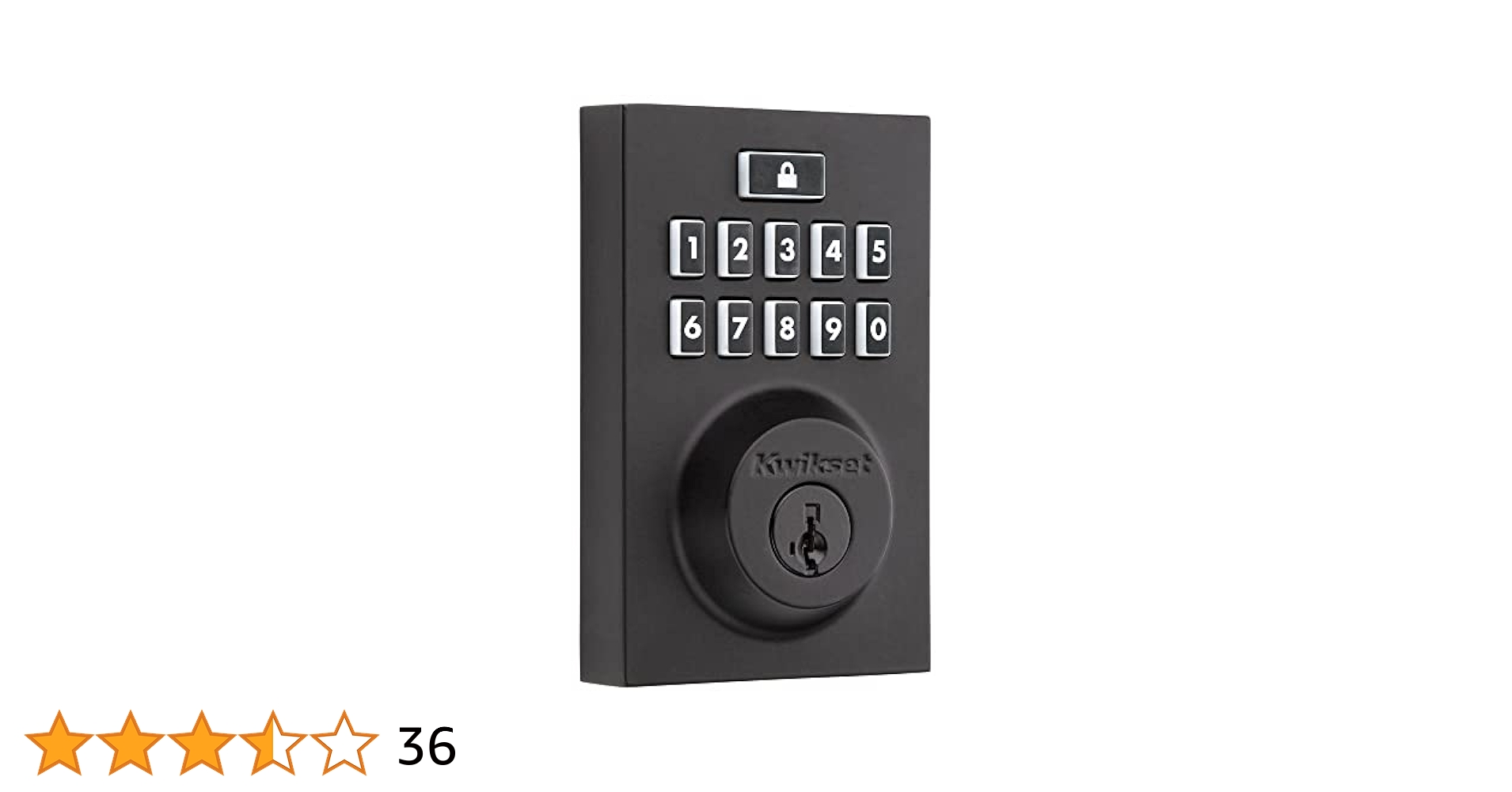
Imagine having complete control over your home’s security right at your fingertips. The Kwikset 914 Smartcode Smart Lock Electronic Deadbolt Smartkey With Keypad offers you just that—easy, keyless entry combined with advanced security features.
Whether you want to ditch your traditional keys or add an extra layer of protection, this smart lock is designed to make your life simpler and safer. Keep reading to discover how this device can transform your home security and give you peace of mind every time you walk through your door.

Credit: www.amazon.ca
Kwikset 914 Features
The Kwikset 914 Smartcode is a keyless electronic deadbolt. It offers security and convenience for home entry.
This smart lock combines modern technology with simple operation. It fits most standard doors and allows easy access.
Keypad Entry System
The Kwikset 914 has a keypad for entering a code instead of using a key. This lets users lock and unlock the door easily.
The keypad is backlit for use in the dark. It can store multiple user codes for different people in the home.
- Backlit keypad for low light use
- Stores up to 16 user codes
- Easy to program and change codes
- Temporary codes for guests
Smartkey Security
SmartKey technology lets you rekey your lock quickly. It protects against picking and bumping attacks.
You can rekey the lock yourself in seconds. This saves time and money compared to calling a locksmith.
- Rekey the lock easily without tools
- Protects against lock picking
- Prevents bump key attacks
- Higher security for your home
Battery Life And Power Options
The lock runs on four AA batteries. It offers long battery life with low power use.
A low battery indicator warns when power is low. You can replace batteries quickly without removing the lock.
- Uses 4 AA batteries
- Long battery life, lasts months
- Low battery warning light
- Easy battery replacement
Compatibility With Door Types
The Kwikset 914 fits most standard doors. It works with doors that have a thickness from 1 3/8 to 1 3/4 inches.
The lock fits both left and right-hand doors. It is suitable for wood, metal, and fiberglass doors.
- Fits door thickness: 1 3/8" to 1 3/4"
- Works on left and right-handed doors
- Compatible with wood, metal, and fiberglass doors
- Easy to install with included hardware
Installation Process
The Kwikset 914 Smartcode Smart Lock is easy to install. It fits most standard doors and locks. Follow these steps for a smooth setup.
This guide covers the tools needed, step-by-step setup, and tips for common installation issues.
Tools Required
You will need some basic tools before starting the installation. Make sure you have everything ready to avoid delays.
- Phillips screwdriver
- Flathead screwdriver
- Measuring tape
- Drill with drill bits (if needed)
- Level tool
- Pencil or marker
Step-by-step Setup
Start by removing your old deadbolt lock. Then follow the steps to install the Kwikset 914 lock on your door.
- Remove the existing deadbolt and latch from the door.
- Check the door thickness; the lock fits doors 1-3/8" to 2" thick.
- Install the new latch into the door edge and secure it with screws.
- Attach the exterior keypad assembly through the door hole.
- Connect the interior assembly to the exterior keypad with the cable.
- Secure the interior assembly with screws, making sure it is level.
- Insert batteries into the battery pack inside the interior assembly.
- Test the lock by entering the default code to ensure it locks and unlocks.
- Program your personal codes following the included instructions.
Common Installation Tips
These tips help you avoid common problems during installation. Follow them for a better experience.
- Read the installation guide before starting.
- Make sure the door and frame are aligned.
- Use the level to keep the lock straight.
- Do not overtighten screws to avoid damage.
- Check that the latch moves smoothly.
- Replace batteries regularly to maintain function.
- Keep the default code safe before programming new codes.
Security Benefits
The Kwikset 914 Smartcode Smart Lock keeps your home safe with strong security features. It helps protect against common break-in methods.
This smart lock uses smart technology and physical defenses to keep your door secure at all times.
Anti-pick Technology
The lock has anti-pick technology to stop thieves from opening it with lock picks. This makes it harder to break in without a key.
The design includes pins inside the lock that resist picking tools. This adds a strong layer of protection.
Bumpguard Protection
BumpGuard stops a break-in method called lock bumping. This method uses a special key to open many locks quickly.
The Kwikset 914 has special parts that block the bump key from turning the lock. This keeps your door safe from this attack.
Access Control Options
The lock lets you control who can enter your home. You can use a keypad, smart key, or traditional key to unlock it.
- Keypad allows code entry without a physical key
- SmartKey lets you reprogram the lock yourself
- Traditional key works as a backup option
These options give you flexibility and control over your home’s security.

Credit: www.amazon.ca
User Experience
The Kwikset 914 Smartcode Smart Lock offers a simple way to secure your door. It uses a keypad and key for easy entry.
This lock is designed to be user-friendly. It helps you control who can enter your home with ease.
Programming Codes
Programming codes allow you to set and change the lock’s keypad codes. This helps keep your home safe.
You can add up to 16 user codes. Each code can be set to allow different people access.
- Press the program button inside the lock
- Enter your master code on the keypad
- Follow the steps to add or delete user codes
- Test the new code before closing the door
Managing User Access
You can control who enters your home by managing user codes. Add new users or remove old ones anytime.
Keep track of who has access to your lock. Change codes if you think a code is no longer safe.
- Assign unique codes to each user
- Delete codes when users no longer need access
- Change the master code regularly for security
Troubleshooting Common Issues
Sometimes the lock may not work as expected. Common issues include keypad errors and battery problems.
Check the lock’s batteries first. Replace them if the keypad stops working or the lock is slow to respond.
- Ensure batteries are installed correctly
- Clean the keypad to remove dirt or dust
- Reset the lock if codes do not work
- Contact Kwikset support for hardware problems
Smart Home Integration
The Kwikset 914 Smartcode Smart Lock works well with many smart home systems. It helps keep your home safe while adding convenience.
You can control the lock from your phone or other smart devices. This makes it easy to manage your door security.
Compatibility With Smart Devices
This smart lock connects with popular smart home hubs and devices. It works with Z-Wave technology to link with many systems.
It is compatible with devices like Samsung SmartThings, Wink Hub, and other Z-Wave controllers. This allows easy integration into your home setup.
- Works with Z-Wave certified hubs
- Supports integration with home automation platforms
- Connects to security and lighting systems
Remote Access Features
You can lock or unlock your door from anywhere using a smartphone app. This helps you manage access without being home.
The lock sends notifications to your phone for door activity. You can check if the door is locked or unlocked anytime.
- Control lock remotely via app
- Receive alerts on lock status
- Grant temporary codes to guests
Voice Control Capabilities
The Kwikset 914 supports voice commands through popular assistants. You can control the lock hands-free using voice.
It works with Amazon Alexa and Google Assistant. Voice control adds ease to your daily routine.
- Lock or unlock with simple voice commands
- Check lock status by asking your assistant
- Integrate with smart speakers and displays
Maintenance And Durability
The Kwikset 914 Smartcode Smart Lock needs regular care to work well. Proper maintenance helps it last longer. This lock combines technology with strong materials.
Keeping it clean and checking the battery are key steps. Also, the lock is designed to handle different weather conditions. This guide covers how to keep your lock in good shape.
Cleaning Tips
Use a soft cloth to clean the lock’s surface. Avoid harsh chemicals that can damage the finish. Dirt and dust can build up, so clean regularly.
Focus on the keypad and keyhole areas. Use a dry cloth or a slightly damp one if needed. Do not spray water directly on the lock.
- Wipe the lock weekly
- Use mild soap for tough dirt
- Dry the lock after cleaning
- Avoid abrasive tools
Battery Replacement
The lock runs on batteries that need changing once in a while. Low battery can cause the lock to stop working. Check the battery level often to avoid issues.
Replace batteries with the type recommended in the manual. Remove old batteries carefully and insert new ones in the right direction. Test the lock after replacement to ensure it works well.
- Use four AA alkaline batteries
- Replace batteries every 6-12 months
- Watch for low battery warnings
- Dispose of batteries properly
Weather Resistance
The Kwikset 914 is built to resist rain, snow, and heat. Its materials prevent rust and corrosion. Still, extra care protects the lock better.
Keep the lock shielded from direct water exposure if possible. Check seals and covers to keep moisture out. Doing this helps the lock stay durable over time.
- Check for water buildup regularly
- Keep the lock covered in heavy rain
- Clean off dirt that traps moisture
- Inspect seals for damage
Comparing With Other Smart Locks
The Kwikset 914 Smartcode Smart Lock is a popular choice for home security. It offers keyless entry with a keypad and SmartKey technology. Comparing it to other smart locks helps buyers decide which fits their needs best.
This comparison covers the price, features, and user feedback. These points show how the Kwikset 914 stands among its competitors.
Price And Value
The Kwikset 914 is usually priced in the mid-range for smart locks. It offers solid features for the price. Some smart locks cost more but include extra smart home integration.
Its value is good for those who want basic smart lock features without spending too much. It provides convenience and security without complex setups.
- Mid-range price compared to other smart locks
- Includes keypad and SmartKey technology
- Offers good value for basic smart lock needs
Feature Differences
The Kwikset 914 has a keypad for code entry and uses SmartKey for easy rekeying. It does not support Wi-Fi or app control. Other smart locks may have Wi-Fi, Bluetooth, or voice assistant support.
This lock focuses on security and simple use rather than full smart home integration. Some models offer remote access, alerts, and auto-lock features, which the Kwikset 914 lacks.
| Feature | Kwikset 914 | Other Smart Locks |
|---|---|---|
| Keypad Entry | Yes | Yes |
| SmartKey Rekey | Yes | No |
| Wi-Fi/App Control | No | Yes |
| Voice Assistant Support | No | Yes |
| Auto-Lock Feature | Basic | Advanced |
User Reviews And Ratings
Users often praise the Kwikset 914 for its easy installation and solid build quality. Many like the keypad and SmartKey features for convenience and security.
Some users mention the lack of smart home features as a downside. Overall, ratings are positive for those who want a simple smart lock without extra tech.
- Easy to install and use
- Good build quality
- Lacks advanced smart features
- Positive feedback for security and keypad

Credit: www.amazon.ca
Frequently Asked Questions
How Do You Install The Kwikset 914 Smartcode?
Installing the Kwikset 914 Smartcode is simple. First, remove your existing deadbolt. Then, follow the included instructions to attach the new lock. Ensure the keypad is on the exterior side. Connect the interior assembly, insert batteries, and test functionality. Installation typically takes under 30 minutes.
Does The Kwikset 914 Work With Smart Home Systems?
Yes, the Kwikset 914 is compatible with several smart home systems. It works well with Z-Wave and Zigbee technology. This allows integration with platforms like SmartThings and Wink. Make sure your system supports these protocols for seamless connectivity.
Can You Rekey The Kwikset 914 Smartkey?
Yes, you can easily rekey the Kwikset 914 using the SmartKey technology. This feature allows you to rekey your lock without a locksmith. Follow the included instructions carefully. It’s a convenient way to enhance security with new keys.
How Long Do The Batteries Last?
The Kwikset 914 Smartcode uses four AA batteries. Typically, these batteries last about one year. Battery life can vary based on usage and settings. Regularly check and replace batteries to ensure continued functionality. The lock will alert you when the battery is low.
Conclusion
The Kwikset 914 Smartcode Smart Lock offers easy and secure home access. Its keypad lets you enter codes quickly without keys. You can change codes anytime for added safety. The SmartKey feature helps you rekey the lock yourself. This lock fits most doors and installs in minutes.
It combines convenience with strong security for peace of mind. A practical choice for anyone wanting simple, reliable door protection. Simple to use, hard to break. A smart step toward safer living.